
Live Chat
Answer the visitor while they are still on the page
One script tag puts a chat bubble on your website. Your team replies from a shared inbox, an AI assistant answers from your own knowledge base when nobody is online, and every visitor’s page-by-page journey is tracked.
- One-line embed — paste a script tag and go live
- AI assistant answers only from your curated knowledge base
- Live visitor tracking with page journey and UTM source
The bot that knows when to stop
The AI assistant answers new chats in the visitor’s language, using only the knowledge items and business context you approved — it never invents prices or policies. The moment a human replies or the chat is assigned, the bot goes silent.
See who you are talking to
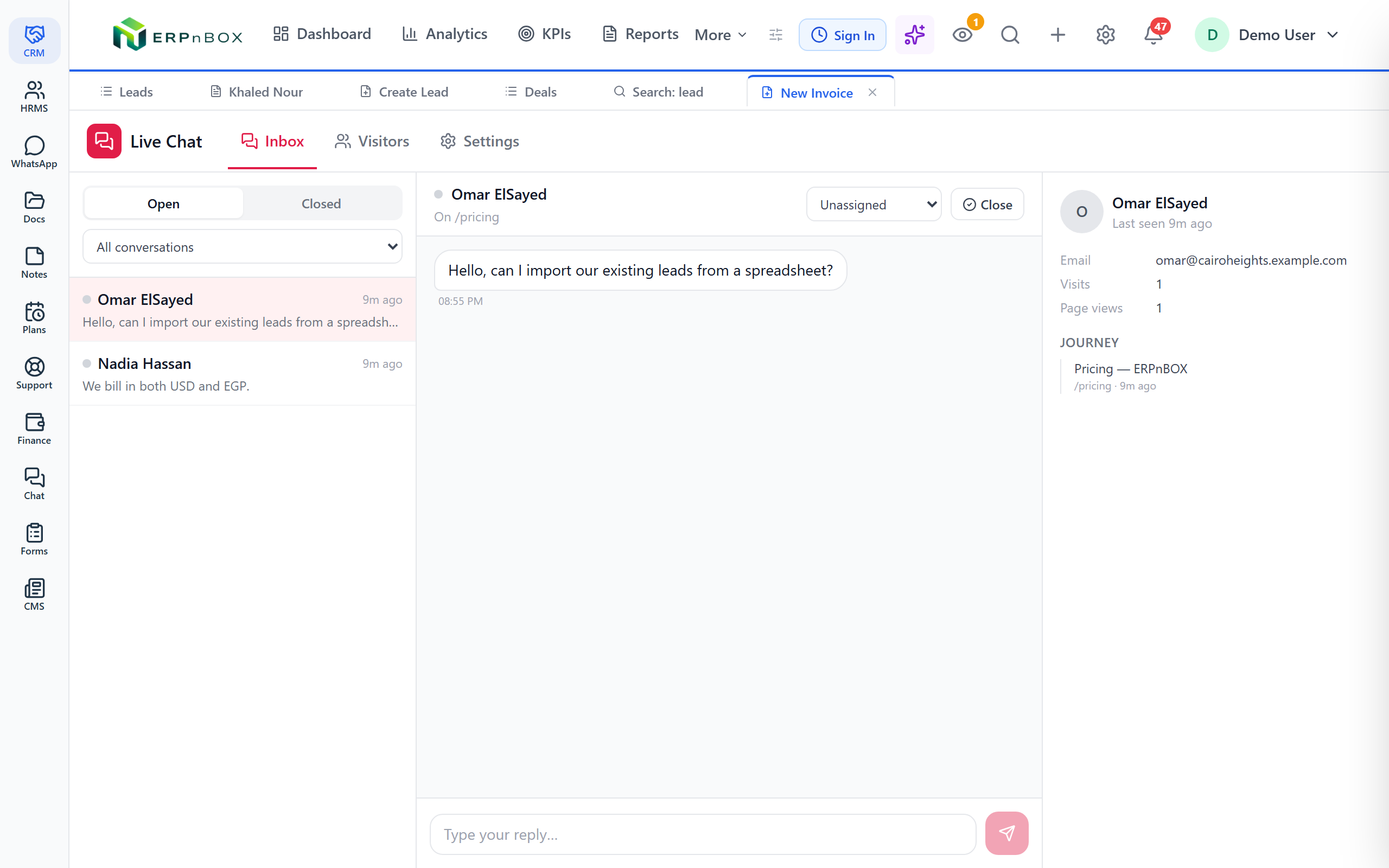
Next to every conversation: the visitor’s recent page views, browser, device, referrer, and UTM campaign — so you know what they were looking at before they asked.
Full feature list
Every feature in Live Chat
Widget & branding
Multiple widgets | Create any number of named chat widgets, each with its own settings, embed code, conversations, and visitor history. |
One-line install | A copyable script tag pasted before the closing body tag puts the bubble on any site — served as a fast, cacheable JavaScript asset. |
Appearance & messages | Set the widget name, brand color, bubble position, launcher label, welcome message, and the away message shown when nobody is online. |
Pre-chat lead capture | Optionally require name and email before chatting, so every conversation arrives with a contactable lead attached. |
Allowed-domain security | Per-widget domain allowlist — the widget refuses to load anywhere you have not listed, with rate limiting on the public endpoints. |
AI assistant
AI auto-reply | An optional bot answers new chats instantly in the visitor’s language, concise by design, and never invents prices or policies. |
Curated knowledge base | The bot answers only from admin-curated knowledge items and your business context — each item toggleable and reorderable. |
Human takeover | The first agent reply — or an assignment — silences the bot and claims the conversation for the human. |
Agent inbox
Shared inbox with filters | Filter conversations by Open/Closed and by assignee (all, mine, unassigned), with last-message previews, unread counts, and online dots. |
Real-time replies | Chat with visitors live; messages stream to the widget instantly, with a polling fallback for older browsers. |
Assignment & status | Assign conversations to teammates, close with a system message, and reopen to resume — closed chats block replies until reopened. |
Notifications | New visitor messages fire in-app notifications to the assignee, or to every chat-capable user when unassigned. |
Conversation ratings | When a chat closes, the visitor sees a 1–5 star rating strip and the score is stored on the conversation. |
Visitor tracking
Live visitor list | See who is on your website right now with an online-only toggle and a live “N online now” count. |
Page-by-page journey | Each visitor’s profile shows their page-view footpath, conversation history, browser, OS, device, referrer, and UTM source, medium, and campaign. |
Session resume | Returning visitors pick up their open conversation and full transcript exactly where they left it. |
Try Live Chat in ERPnBox
Start your free trial today, or talk to our team about a tailored plan.