
Quick notes, never disconnected from the record
A Keep-style sticky notes board for the fast, unstructured stuff — "called him again, follow up Tuesday" — linked back to the lead or deal it belongs to, searchable across your whole team.
- Google Keep-style card board
- Every note linked to a CRM record
- Full-text search across your team’s notes
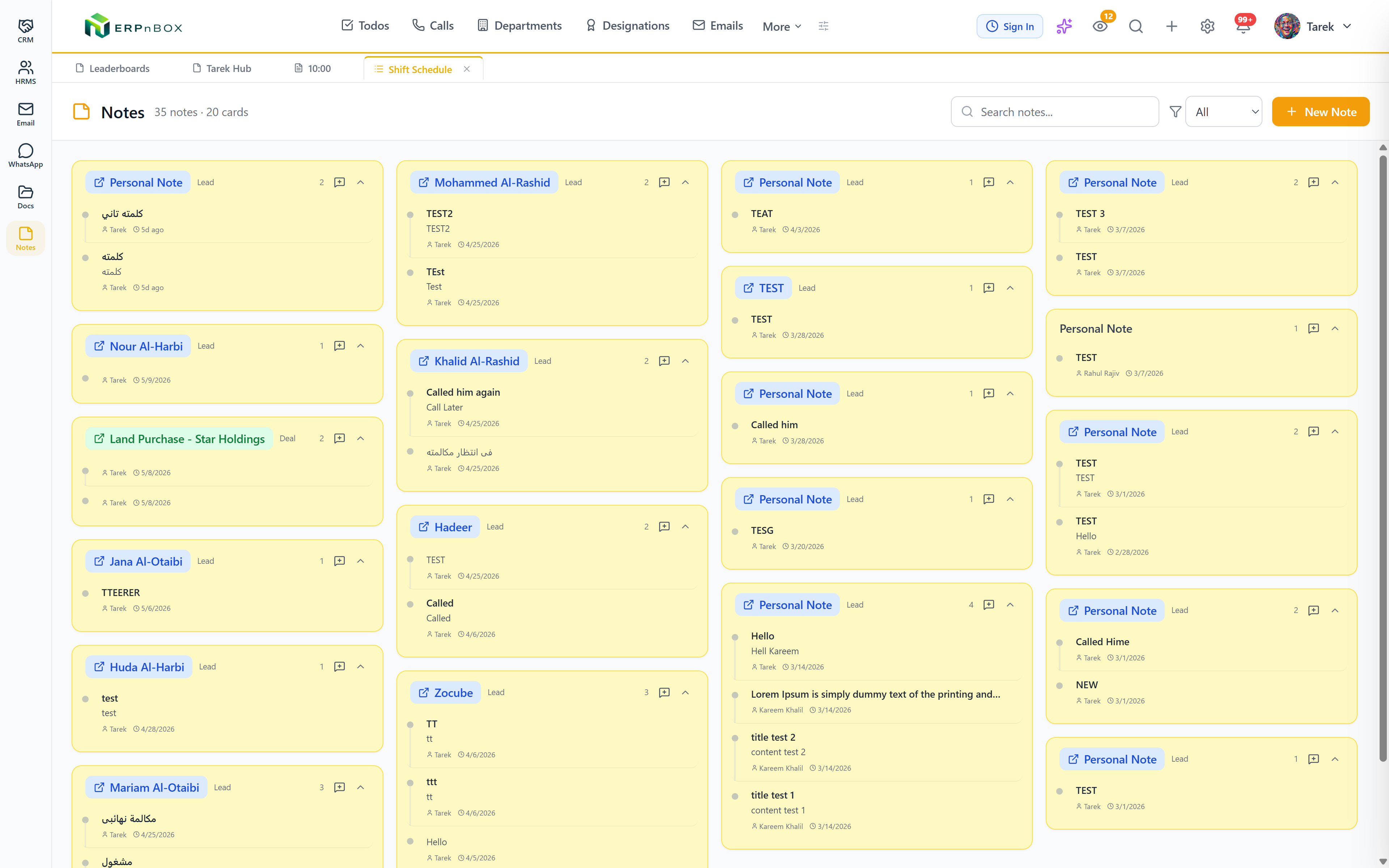
Faster than a full activity log
Not every thought needs a scheduled task or a logged call. Notes gives your team a lightweight place to jot something down against a record and move on.
Searchable, filterable, never siloed
Filter by record type, search across every note your team has ever written, and see who wrote what and when — a shared memory, not a personal sticky pad.
Features
Everything Notes does
01
Every note, colour-coded and linked
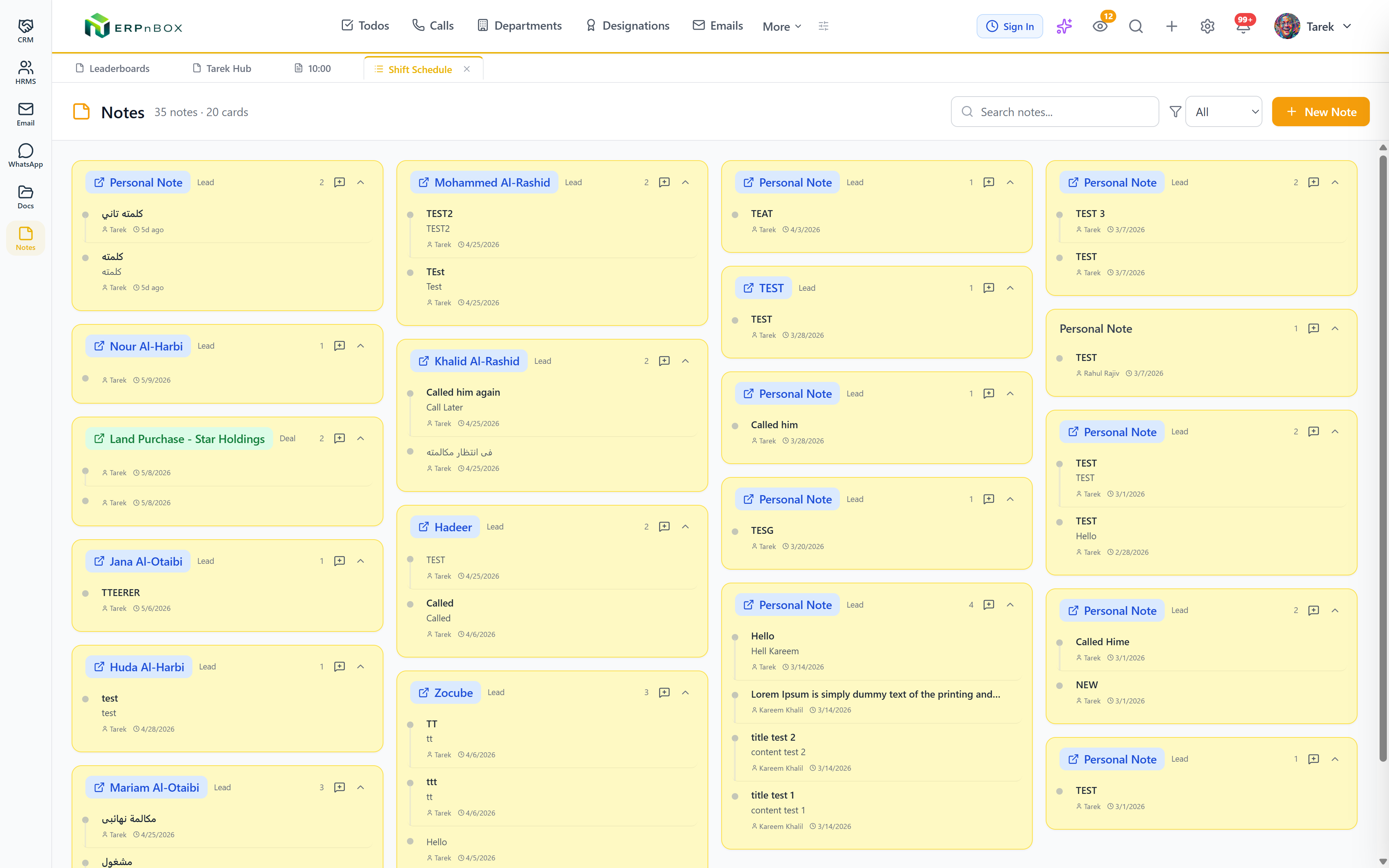
A board of sticky cards, each tagged to the lead, deal, or record it is about, filterable and searchable across the whole team — so the context behind "called, no answer" is always one click away.
Full feature list
Every feature in Notes
The board
Keep-style card board | A masonry grid of sticky cards grouped by the record they belong to, with module badges on every card. |
Nine colors | Color-code notes from a nine-color palette with an on-hover picker. |
Rich note editor | Title, rich content, color, and a pre-linked parent record — with author and time-ago on every card. |
Linking & search
Linked to real records | Every note can attach to a lead, deal, ticket, or any record — click the card and you are on the record. Unlinked personal notes work too. |
Full-text search & filters | Search across titles, content, and the linked record’s name; filter by module or personal notes. |
Same permissions as records | You see your own notes plus your subordinates’ and what is shared with you — the same visibility rules as every record. |
Try Notes in ERPnBox
Start your free trial today, or talk to our team about a tailored plan.