
The short answer
QuickBooks Online is the best-in-class dedicated accounting product, with live bank feeds in 33+ countries and a huge accountant network. ERPnBox isn't better accounting; it's a real double-entry ledger built inside the same platform as your CRM, HR, and 12 apps, at one per-seat price, so finance stops being a separate silo you reconcile against your sales system.
If you run a small business and someone says "just use QuickBooks," they are giving you good advice. QuickBooks Online is the accounting standard for a reason. The honest question isn't whether it's good — it is. The question is whether your business needs a dedicated accounting product, or a ledger that sits inside the rest of your business.
This comparison plays it straight. We'll credit QuickBooks for what it genuinely does better, then explain the one thing ERPnBox does differently — and tell you plainly which side you belong on.
What does QuickBooks do better?
QuickBooks Online is best-in-class dedicated accounting. It has live automatic bank feeds across 33+ countries as a core feature on paid tiers, decades of refinement, and — the part few rivals can match — a vast network of accountants and bookkeepers who already know it. Hand your books to almost any professional and they'll open QuickBooks without blinking.
That ecosystem is a real asset. If your accountant files your taxes, coordinates with your bank, and lives in your books month to month, being on the tool they already use removes friction you shouldn't underestimate. If you need accounting and only accounting, a dedicated product like QuickBooks is the right call.
A note on QuickBooks Desktop
If you're on QuickBooks Desktop or "Pro," know that it's legacy. Desktop 2023 lost all support — including bank feeds — on May 31, 2026. The go-forward, feed-supported product is QuickBooks Online. Any comparison worth reading is against Online, not the desktop editions.
So what makes ERPnBox different?
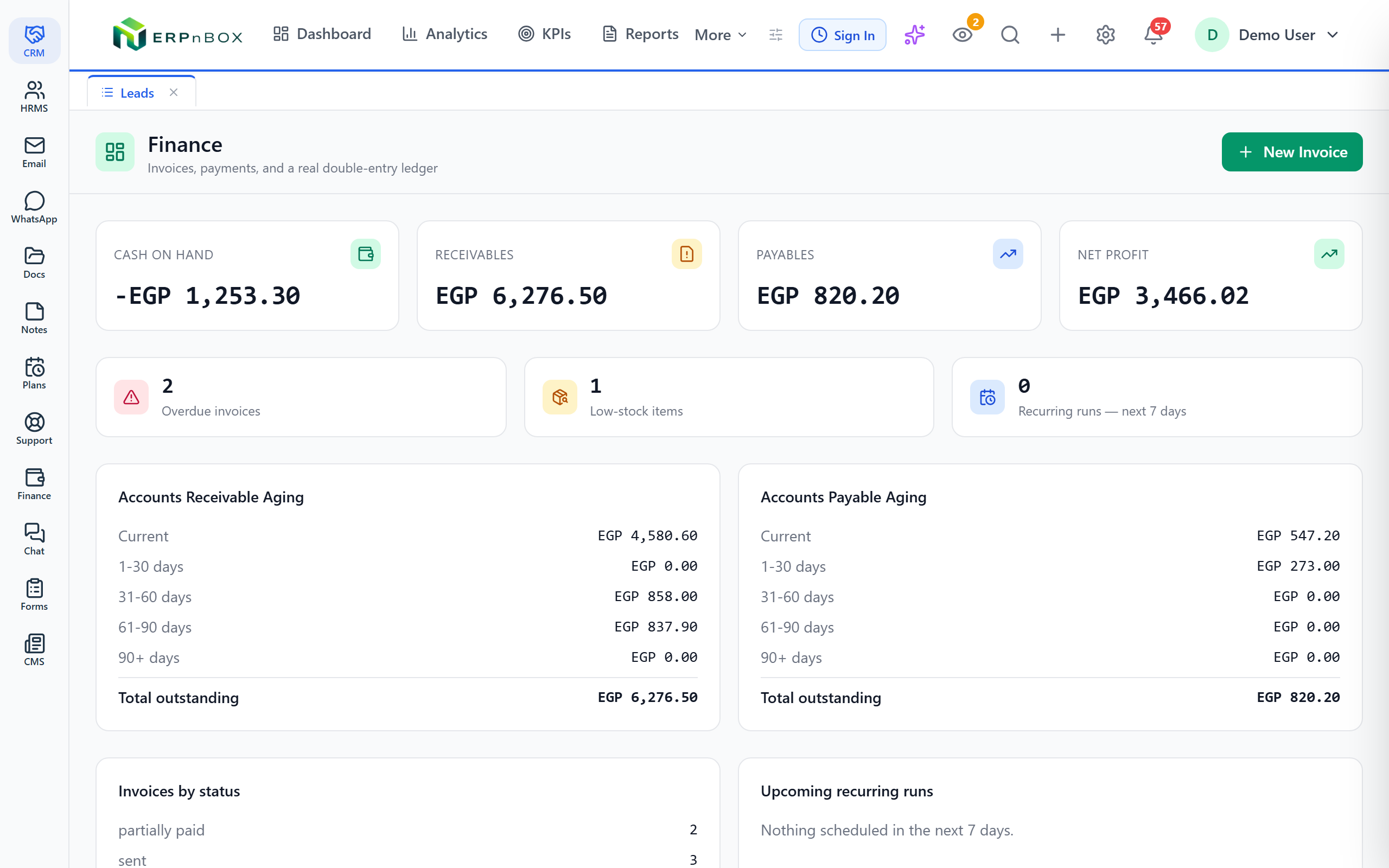
ERPnBox is not trying to out-accountant QuickBooks. The difference is location. ERPnBox Finance is a real double-entry ledger — invoicing, expenses, reconciliation, multi-currency, tax groups — that lives inside the same platform as your CRM, HR, payroll, and a dozen other apps. Finance stops being a separate tool you reconcile against your sales system.
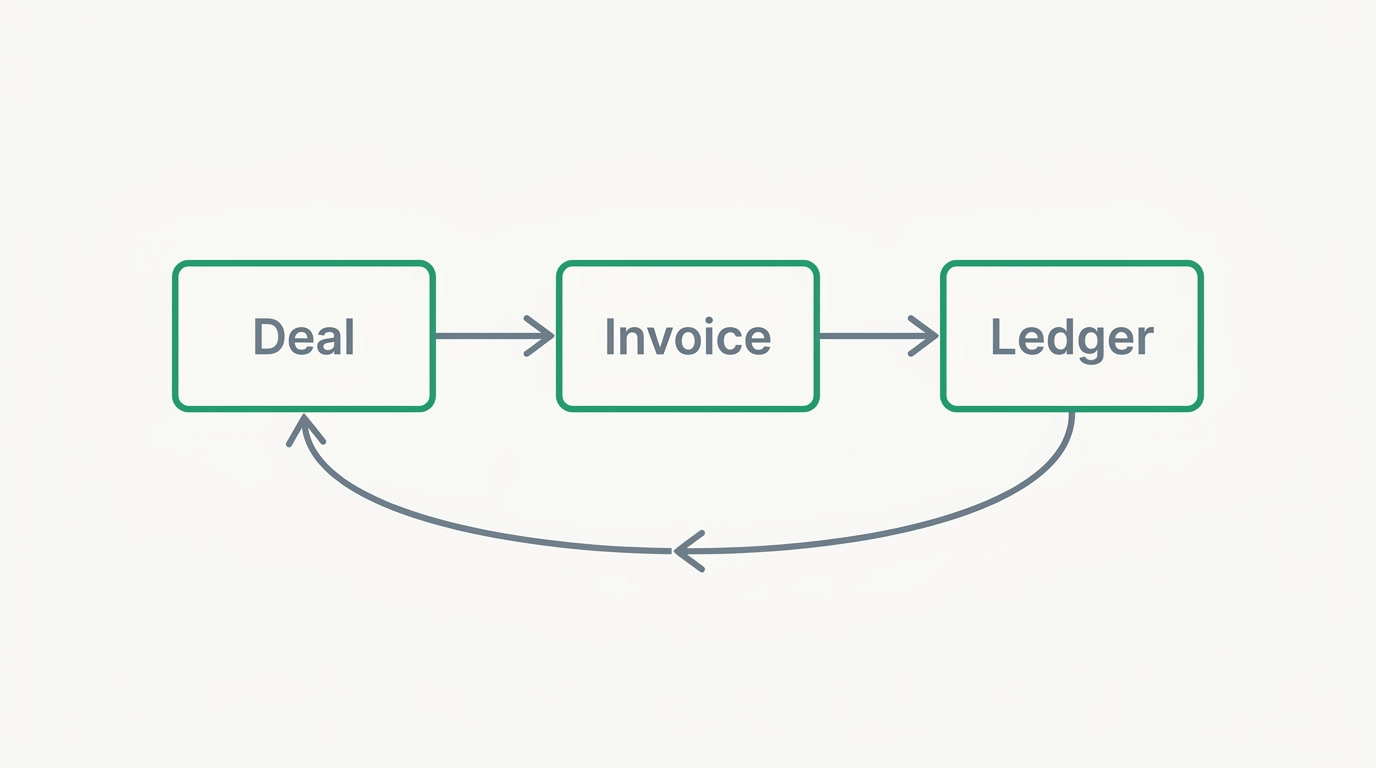
Practically, that means the invoice carries its deal. When a salesperson closes an opportunity in the CRM, the invoice already knows the customer, the terms, and the history. Payment posts to the ledger. Nobody re-keys a customer into a second system, and nothing drifts out of sync — because there is no second system.
And it's one price. Finance is part of the per-seat price with everything else — not a separate accounting subscription bolted onto your CRM subscription bolted onto your HR subscription.
How do the bank feeds compare?
Here's where honesty matters most. QuickBooks has broader bank-feed coverage than ERPnBox today — live automatic feeds across 33+ countries. ERPnBox connects your bank through Stripe Financial Connections: you link your bank inside Stripe's secure window, we never see your credentials, and transactions sync through the same import and matching pipeline as a statement upload.
The honest limit: Stripe Financial Connections links US bank accounts (~5,000 US institutions). Businesses in 34 countries can use it, but non-US bank accounts aren't supported yet. So the fair rule is: connect your bank where Stripe supports it, or import a statement anywhere. Statement and CSV import work everywhere and run through the same reconciliation.
ERPnBox vs QuickBooks: which fits you?
The decision usually comes down to scope. Do you need a specialist accounting product with the widest feed coverage and an accountant network? Or do you need your money, customers, and people running in one connected system? The table below lays out the honest trade-offs.
| QuickBooks Online | ERPnBox | |
|---|---|---|
| Core focus | Dedicated accounting, best-in-class | Double-entry ledger inside a full business platform |
| Bank feeds | Live automatic feeds, 33+ countries | Live feeds where Stripe supports (US accounts); statement/CSV import anywhere |
| Accountant network | Vast; most pros already know it | Standard double-entry a bookkeeper can read |
| CRM + sales | Separate tool to integrate | Built in; invoice carries its deal |
| HR + payroll | Separate product / add-on | In the same platform |
| Pricing shape | Per-product accounting subscription | One per-seat price for all apps |
Pricing, as of mid-2026: ERPnBox is Professional $15/user (3,000 AI Credits) and Growth $20/user (6,000 credits, most popular), with Enterprise custom for BYOK and SSO. That single per-seat price covers Finance, CRM, HR, and all 12 apps — with a 30-day free trial, no card. See pricing for the full breakdown.
When should you pick QuickBooks instead?
Choose QuickBooks when accounting is the job and everything else is already handled. If your bookkeeping is complex, your accountant insists on the tool they know, or you need the broadest live bank-feed coverage in your country today, a dedicated product is the honest answer. We'd rather tell you that than lose your trust.
The right question isn't "which accounting tool wins?" It's "do I want accounting as a silo, or as part of the system I already run?"
Pick ERPnBox when the pain isn't the accounting itself — it's the gaps between tools: the customer typed into three systems, the invoice that doesn't know its deal, the month-end spent reconciling one app against another. When that's the tax you pay, one connected platform is worth more than a marginally deeper ledger.
See Finance where it belongs — next to your customers
Try the double-entry ledger inside the same platform as your CRM and HR. 30-day free trial, no card.
Explore ERPnBox FinanceFrequently asked questions
Is ERPnBox a replacement for QuickBooks?
For many small businesses, yes — ERPnBox has a **real double-entry ledger** with invoicing, expenses, reconciliation, and multi-currency. But QuickBooks is a dedicated accounting product with broader live bank-feed coverage and a huge accountant network. If accounting is your only need and your accountant relies on QuickBooks, stay there. ERPnBox wins when you want that ledger connected to your CRM and HR.
Does ERPnBox connect to my bank?
Yes, through [Stripe Financial Connections](https://stripe.com/financial-connections). You link your bank inside Stripe's secure window and transactions sync into the same import-and-matching pipeline as a CSV. The honest limit: it supports **US bank accounts** (~5,000 institutions) today; non-US accounts aren't supported yet. Elsewhere, statement or CSV import runs through the same reconciliation. Connect your bank where Stripe supports it, or import a statement anywhere.
Can my accountant work with ERPnBox?
Yes. ERPnBox Finance is **standard double-entry** — debits, credits, a real ledger — so any bookkeeper can read it. That said, QuickBooks has a far larger network of professionals who use it daily. If your accountant strongly prefers QuickBooks and won't move, weigh that; the tool your books' keeper already knows removes real friction.
Is QuickBooks Desktop still worth buying?
No. **QuickBooks Desktop and "Pro" are legacy.** Desktop 2023 lost all support — including bank feeds — on May 31, 2026. The go-forward, feed-supported product is [QuickBooks Online](https://quickbooks.intuit.com). If you're comparing tools today, compare against Online, not the desktop editions.
What does ERPnBox cost compared to running separate tools?
As of mid-2026, ERPnBox is one per-seat price: **Professional $15/user** and **Growth $20/user** (most popular), covering Finance, CRM, HR, and all 12 apps. Running a separate accounting subscription plus a separate CRM plus separate HR typically stacks several bills. ERPnBox trades depth-in-one-area for one connected system at one price, with a 30-day free trial. See [pricing](/pricing).