
The short answer
The ERPnBox AI Assistant is an in-app agent that works on your live data. Ask in plain language and it finds records, creates or updates them, counts and totals, searches everything, draws charts, and builds dashboards. It respects each user's permissions; deletes are confirm-first and database queries are read-only.
Most business software makes you learn where everything lives. You click into a module, build a filter, remember which report answers which question. ERPnBox's AI Assistant flips that around: you ask, in plain language, and it does the work — looks up a customer, drafts a new record, counts this month's deals, draws the chart. It's not a chatbot bolted onto the side. It reaches into the same records your team works in every day, using the same permissions your team has, and gives you the answer or the action you asked for.
What is the ERPnBox AI Assistant?
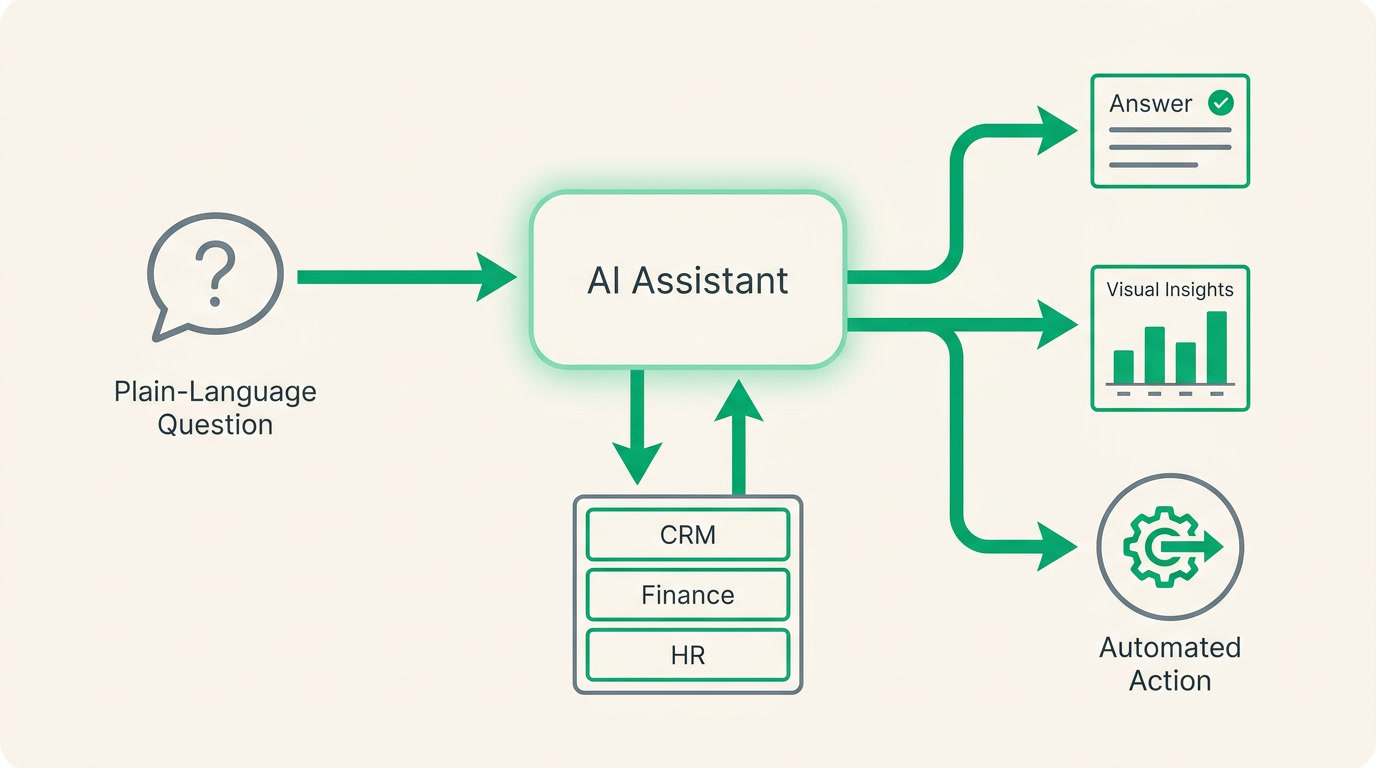
It is an in-app agent that works inside your live business data, not a separate window you copy-paste into. You type a question or an instruction, and it uses around two dozen tools to answer: it can find and open records, create or update them, run counts and totals, search across everything, draw a chart in the reply, and assemble a small dashboard you keep. It respects each person's permissions — it only ever sees what that user is allowed to see.
Because everything in ERPnBox lives on one set of records, the Assistant can actually be useful. It isn't guessing from a document you pasted; it reads your real pipeline, your real ledger, your real attendance log. When you ask "how many deals closed in the last quarter, by owner?" it counts the actual deals and groups them the actual way. An assistant is only as good as the data it can see — and this one sees the whole operation, because the whole operation is in one place.
Why does an in-app AI assistant matter?

It removes the tax you pay for owning a system: knowing your way around it. The real cost of most software isn't the license, it's the hours spent finding the report, exporting to a spreadsheet, and asking the one person who remembers how the filter works. The Assistant collapses that to a sentence. The manager gets the number without waiting on ops. The rep logs a call without leaving the phone screen in their head.
There's a second pain it removes, quieter but bigger. When your tools don't talk to each other, no one can answer "what did we actually do this month?" without stitching three exports together. Here the Assistant already stands on connected data, so the answer is one question away — and it can pin that answer as a live dashboard card you glance at tomorrow instead of rebuilding.
| You want to | The old way | With the Assistant |
|---|---|---|
| Find a customer's record | Open the module, search, filter | "Pull up Acme's account" |
| Count deals by owner | Build a report, export, pivot | Ask; get the grouped total |
| See a trend over months | Chart builder, pick fields | Ask; the chart is in the reply |
| Log a new lead fast | New form, fill every field | Describe it in a sentence |
| Check leave balance | HR module, find employee | "How much leave does Sara have left?" |
Two boundaries, stated plainly, because a tool you can trust is one that tells you where it stops. Deleting a record is always confirm-first — the Assistant asks before it removes anything. And when it queries your database directly, that query is read-only: it can read numbers back to you, but it can't quietly rewrite your ledger behind a clever question.
Who is it for, and which teams get the most from it?
Three kinds of people, roughly. Managers and ops leads who want answers without becoming power users. Sales reps who live in quick lookups and quick entries and don't want to slow down. And HR admins who juggle attendance, leave and payroll questions all day. Each asks the Assistant differently, and it meets them where they are.
- Managers and ops: ask the business questions in plain language — totals, averages, min and max, grouped by team or bucketed by month — and keep the ones you check often as dashboard cards.
- Sales reps: look someone up, create a lead or update a deal in a sentence, run a global search across everything at once.
- HR admins: pull attendance logs and summaries, leave balances and requests, shift schedules and payslips — plus users, the audit log, workflow rules and an SLA report.
Because it works in your language, out of the box, none of this is limited to English speakers — a team in Sao Paulo, Cairo or Jakarta asks the same way. Real estate is one common fit, but so are recruiters chasing candidates, a clinic checking its schedule, a services firm watching receivables. The Assistant doesn't care about the industry; it cares that the data is all in one place, and it is.
See it read your own numbers back to you
Start a 30-day free trial — no credit card. Describe your business and ask the Assistant its first question the same day.
Start freeHow do you set up and start using it?
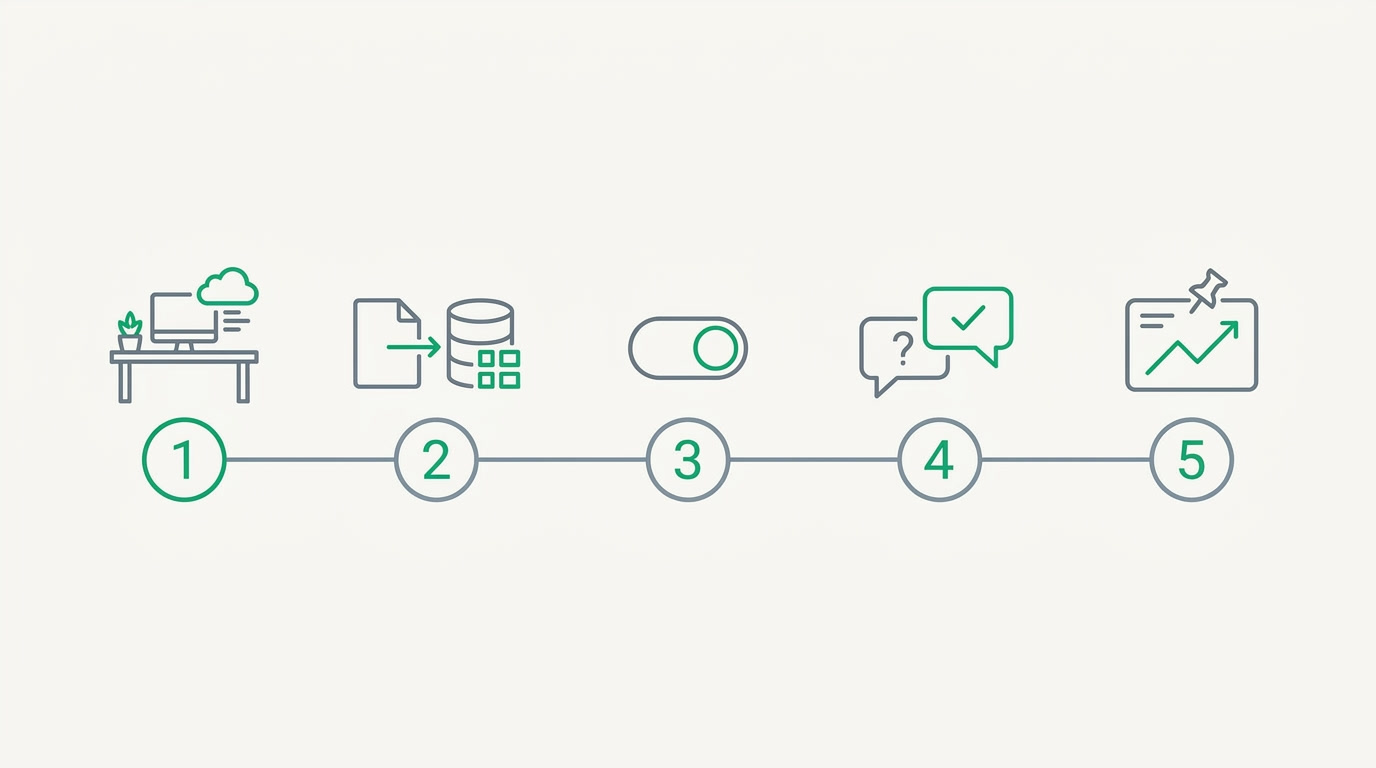
There's almost nothing to install — the Assistant is part of the platform, and it becomes useful the moment your data is in. The setup is really just getting your workspace running and then learning to ask well. Here is the short, practical path from a fresh account to a live dashboard card, in a handful of steps.
- Get your workspace running. Describe your business in plain language and let it assemble your modules, fields and pipelines — the Assistant reads whatever is there, so this is what gives it something to see.
- Bring in your records. Import your customers, deals, employees or invoices, or add them as you go. The more real data, the better every answer.
- Set each person's permissions. The Assistant inherits them exactly, so a rep sees their own accounts and a manager sees the team — configure the roles once and the Assistant stays inside them.
- Open the Assistant and ask a real question. Start simple — "how many open deals do we have?" — then push it: group by owner, bucket by month, ask for the chart.
- Pin what you'll reuse. Ask it to build a dashboard of the numbers you watch, and it assembles a small set of cards you return to instead of re-asking.
That's the whole ceremony. No consultants, no configuration project, no training week — the thing you already know how to do, which is describe what you want, is the interface. You own a system that answers back, and you set it up the same afternoon you signed up.
Frequently asked questions
Can the Assistant delete or change my data?
It can create and update records when you ask it to, but **deleting anything is always confirm-first** — it asks before it removes a record. When it reads directly from your database, that **query is read-only**, so it can report numbers back but can't rewrite your data through a query.
Does it see everything, or only what I'm allowed to see?
**Only what you're allowed to see.** The Assistant inherits each user's permissions exactly, so a sales rep gets their own accounts and a manager gets the team view. You set the roles once and the Assistant stays inside them for every question.
What kinds of questions can it actually answer?
**Lookups, counts, sums, averages, minimums and maximums** — grouped by a field like owner or team, and bucketed by time such as month. It can search across everything at once, draw a chart in its reply, and build a small dashboard of the numbers you watch.
Can it help with HR and payroll questions too?
Yes. It reaches [attendance logs](/hrms) and summaries, leave balances and requests, shift schedules and payslips, plus users, the audit log, workflow rules and an SLA report — so an **HR admin can ask about a person's leave or a team's attendance without opening several screens**.
Do I need technical skills to use it?
No. You type what you want in plain language, in your own language, and the Assistant does the finding, counting and charting. **The only setup is getting your workspace and data in place**; after that, asking a good question is the whole skill.


