The short answer
ERPnBox workflow automation is a rules engine that watches your records and acts on them. Triggers on records created, edited, deleted, timed, or data-based; twenty-three actions from reassigning owners to timed emails. Every run is audit-logged and loop-protected, so routine follow-ups and routing happen on time without anyone remembering.
Every business runs on a set of small promises that are easy to break when people are busy. A new lead should get a call within the hour. A stalled deal should move back up someone's list. A raised ticket should reach the right person, not a shared inbox where it quietly dies. Workflow Rules & Automation is the part of ERPnBox that keeps those promises for you — quietly, every time, without anyone having to remember.
What is workflow automation in ERPnBox?
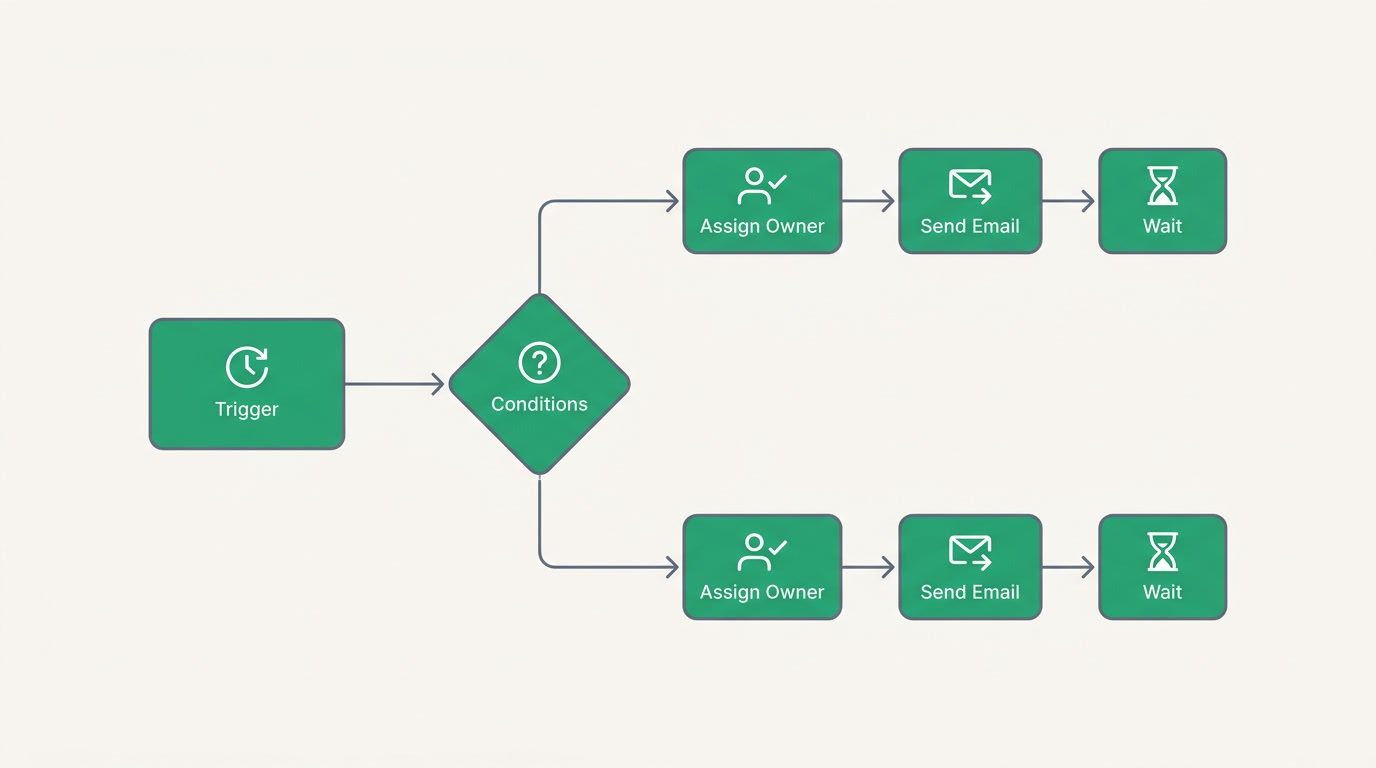
It is a rules engine that watches your records and acts on them for you. You describe a situation — a lead is created, a deal changes stage, a value crosses a threshold, or a set time arrives — and you describe what should happen next. From then on the work runs itself, and every action it takes is written to an audit trail you can read.
A rule has two halves. The trigger decides when it runs: a record being created, edited, or deleted; a scheduled time; or a data-based re-evaluation when aggregated figures shift. The actions decide what it does. ERPnBox ships twenty-three action types, so a single rule can reassign an owner, update a field, add a tag, send an email, wait for two days, then check whether anything changed before it continues.
Why does workflow automation matter for your team?

Because the cost of forgetting is invisible until it adds up. A follow-up that never happened is a sale you will never know you lost. Manual hand-offs are where accountability leaks: the deal sat untouched, and nobody meant for it to. Automation removes the remembering, and with it the excuse. The work happens on time whether the office is busy, quiet, or closed.
There is a quieter benefit too. When rules do the routing, the tagging, and the nudging, your people stop being the glue between systems and go back to the work only people can do — the conversation, the judgment call, the close. You are not paying skilled staff to remember to press send.
| Doing it by hand | With workflow rules |
|---|---|
| A new lead waits until someone notices it | It is assigned and emailed the moment it arrives |
| Follow-ups depend on a person's memory | A timed step fires on schedule, business hours respected |
| A stalled deal is only found in a review | A re-evaluation catches it and reassigns the owner |
| No record of who did what, when | Every action is written to an audit log |
Which industries and teams does it help?
Any team that repeats a process helps itself with this. Sales teams use it to nurture leads and reassign cold ones. Support teams route tickets to the right queue and escalate the ones going quiet. Operations teams drive status-based handoffs so nothing waits on a manual push. The engine is the same everywhere; only your rules change.
A property agency routes each enquiry to the nearest agent and follows up if a viewing is not booked. A clinic tags overdue balances and notifies the front desk. A software firm moves trial sign-ups through a nurture sequence and hands hot ones to a rep. The pattern — watch, decide, act — fits lead nurturing, ticket routing, and status-driven operations in every industry.
One honest limit worth stating: showing, hiding, requiring, or validating fields on a form is handled by your page layout, not the workflow engine. And native Finance and Booking records keep automation to email, notification, and function actions by design — so your books stay trustworthy.
How do you set up a workflow rule?
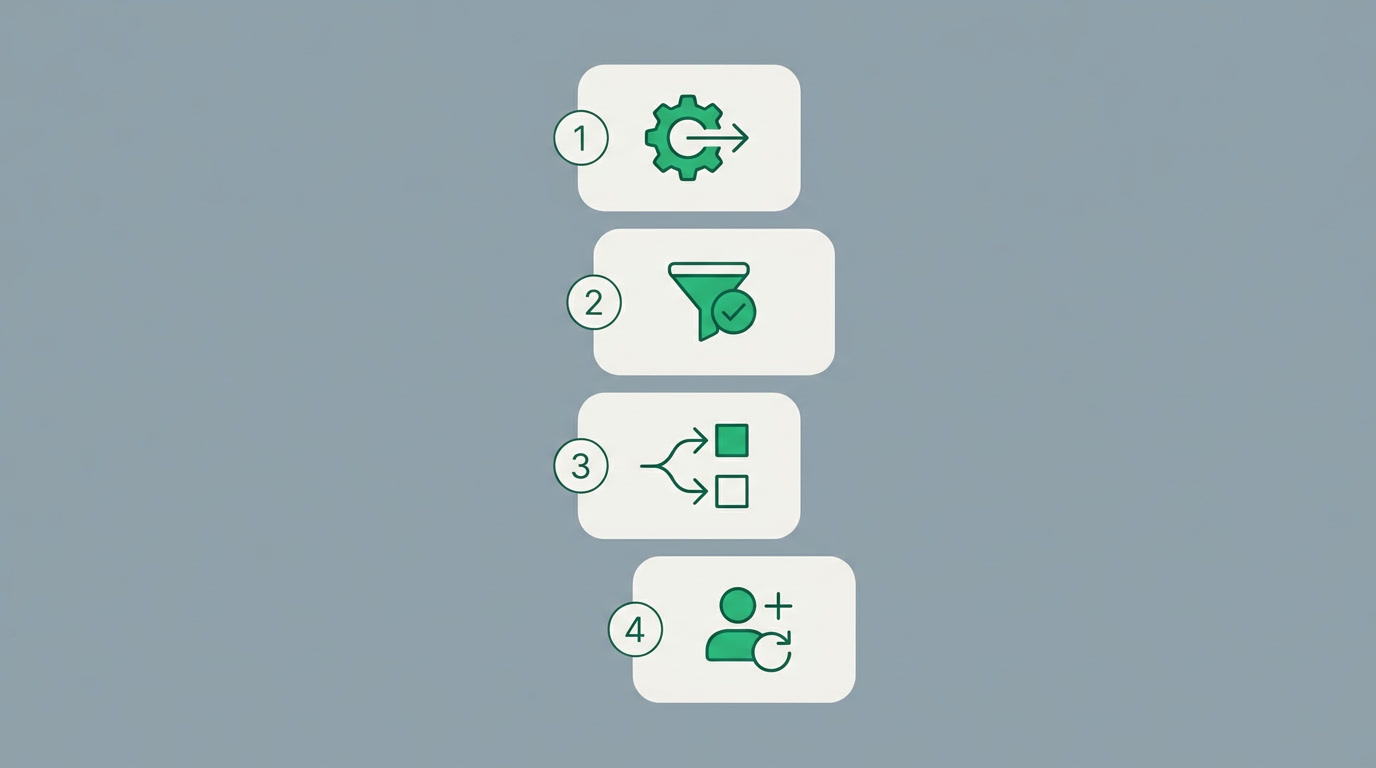
You build one in four plain steps, and you can have a useful rule running in minutes without touching code. Pick the trigger, set the conditions, choose the actions, then decide how often a record may enrol. The builder walks you through each part, and you can watch a rule work on real records before you rely on it.
- Choose the trigger. Decide what starts the rule: a record created, edited, or deleted; a time-based moment; or a data-based re-evaluation when aggregate figures move.
- Set the conditions. Group them so each condition group fires its own set of actions — one rule can handle several situations at once.
- Choose the actions. Assign an owner or smart-reassign, update a field, tag, send a templated email with merge variables, add a wait that respects business hours and cancels if criteria change, branch, or notify the owner.
- Set enrolment. Choose whether a record runs the rule every time, once only, or re-enrols when it newly meets the criteria — then save and let it run.
The engine guards itself against loops, so a field update that triggers another rule cannot run away with your data. And because every run is logged, when someone asks why a lead was reassigned last Tuesday, the answer is right there — not a mystery you have to reconstruct.
See what your business could automate
Start a 30-day free trial — no card, all the apps, and rules you can build the same afternoon.
Start freeRules and automation are not a bolt-on. They are how ERPnBox turns a system of record into a system that acts — the difference between software that remembers your data and software that does something about it. Your business, unboxed, and running while you sleep.
Frequently asked questions
Do I need to write code to build a workflow?
No. You build rules in a **visual builder**: pick a trigger, set conditions, choose from twenty-three ready actions, and set enrolment. A run-function action exists for advanced cases, but the common rules — routing, tagging, timed emails, reassignment — **need no code at all**.
Can a workflow wait before acting?
Yes. A wait or delay step pauses the rule for a set period and can **respect your business hours**. If the record no longer meets the criteria when the wait ends — a deal closed, a ticket resolved — the pending step cancels itself, so you never send a stale reminder.
How do I stop a record from being processed over and over?
**Enrolment settings** control it. Choose to run the rule every time the trigger fires, once per record only, or re-enrol when a record newly meets the criteria after previously falling out. The engine also has **built-in loop prevention** so field updates cannot cascade endlessly.
Can one rule handle more than one situation?
Yes. You can define **multiple condition groups** within a single rule, and each group fires its own set of actions. So a rule watching a deal can treat high-value and low-value ones differently, or route by region, without you building a separate rule for each branch.
Does automation work across Finance and Bookings too?
Partly, and by design. Native [Finance](/finance) and Booking records allow email, notification, and function actions so your ledgers and schedules **stay trustworthy** — they do not let a rule silently rewrite financial fields. Your [CRM](/crm) and custom modules have the full range of actions.