
The short answer
ERPnBox finds records two ways: global search spanning all twelve apps at once, and structured record filters you build by field, operator and value — then save as one-click, per-user views. Every result respects your reporting hierarchy, so people see only the records they're allowed to.
Somewhere in your system is the record you need right now. The lead who called yesterday. The invoice that's overdue. The candidate you interviewed last week. On most software, finding it means remembering which app it lives in, then digging. ERPnBox is built so you type a name and it appears — from any of the twelve apps, in the same box, in seconds.
What are search and filters in ERPnBox?
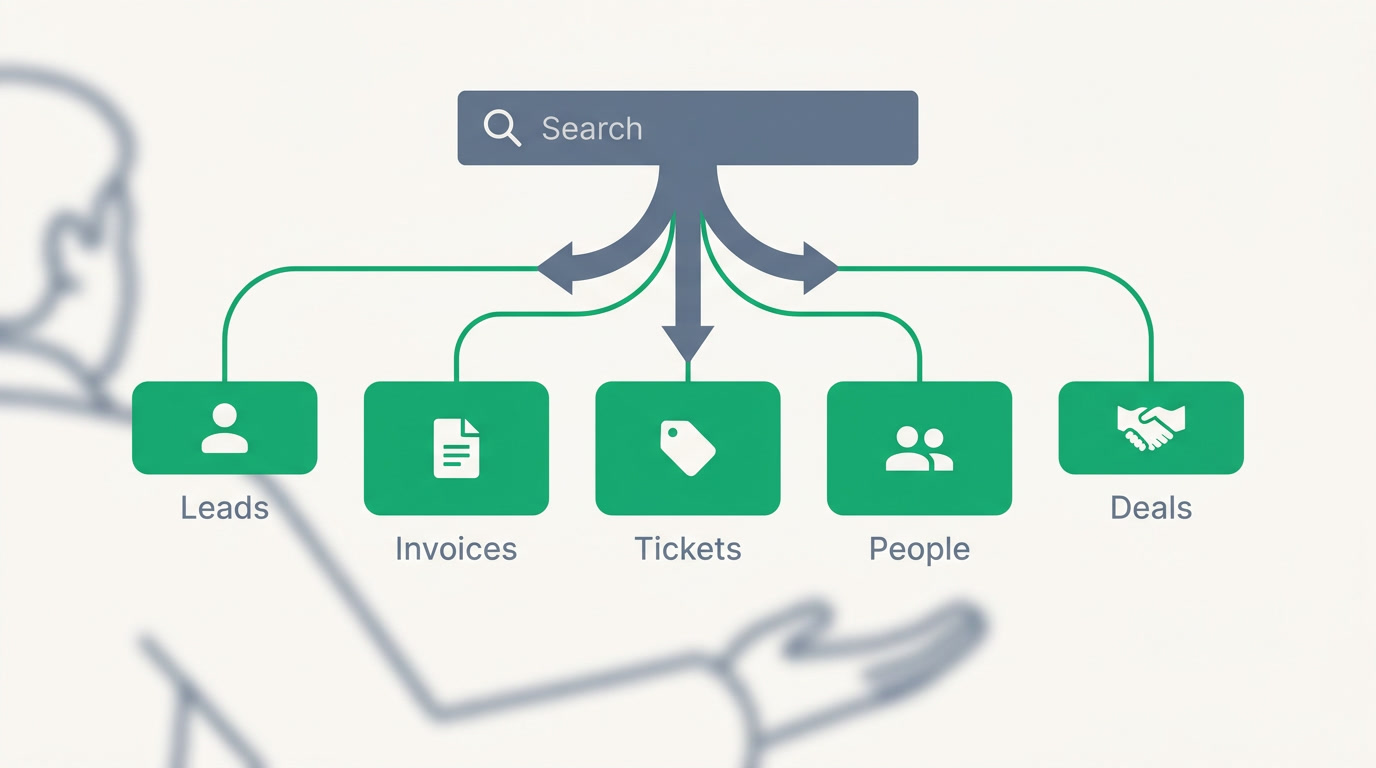
They are two ways to find work. Global search spans every app at once — CRM, HR, Finance, Support and the rest — so one query surfaces a lead, an invoice and an employee together. Record filters are the structured version: narrow a module by field, operator and value. Save that filter and it becomes a view you return to with one click.
Because every app in ERPnBox shares one workspace, search doesn't stop at a boundary the way it does when your CRM and your accounting are separate products. The record you find is already connected to the deal, the invoice and the person behind it.
Why does fast, permission-aware search matter?
Because time spent hunting is time not spent selling, collecting or closing. But speed alone isn't the whole story. Search in ERPnBox respects who you are: a rep sees their own records, a manager sees the team's, and nobody stumbles onto data above their line. Visibility follows your reporting hierarchy, quietly, on every result.
That means you can hand the search box to your whole company without handing over your whole database. The intern who searches "Riverside" sees only the Riverside records they're allowed to touch — no policy memo required.
| The task | Without ERPnBox | With ERPnBox |
|---|---|---|
| Find one record | Guess the app, then search inside it | One box, every app at once |
| Narrow a list | Export to a spreadsheet and sort | Filter by field, operator and value |
| Reuse a view | Rebuild the same filter every morning | Saved filter, one click |
| Who sees what | Everyone sees everything, or admin gates it | Results follow the hierarchy automatically |
Who uses this, and in which industries?
Anyone whose day is a stream of lookups. A sales rep searching a caller by name before the phone stops ringing. An accounts lead pulling every unpaid invoice past thirty days. An HR manager filtering candidates by stage. Because ERPnBox spans several verticals rather than one, the same two tools serve very different work.
- A real estate team filters leads by budget range and source, then saves it as "Hot buyers this week."
- A services firm filters deals by close date and stage to see what's landing this month.
- A support desk filters tickets by priority and SLA breach to work the fires first.
- A finance team filters invoices by status and due date to run collections.
See search across your whole business
Start a 30-day free trial — no card, and your AI-built workspace is ready in minutes.
Start free trialHow do you build and save a filter?
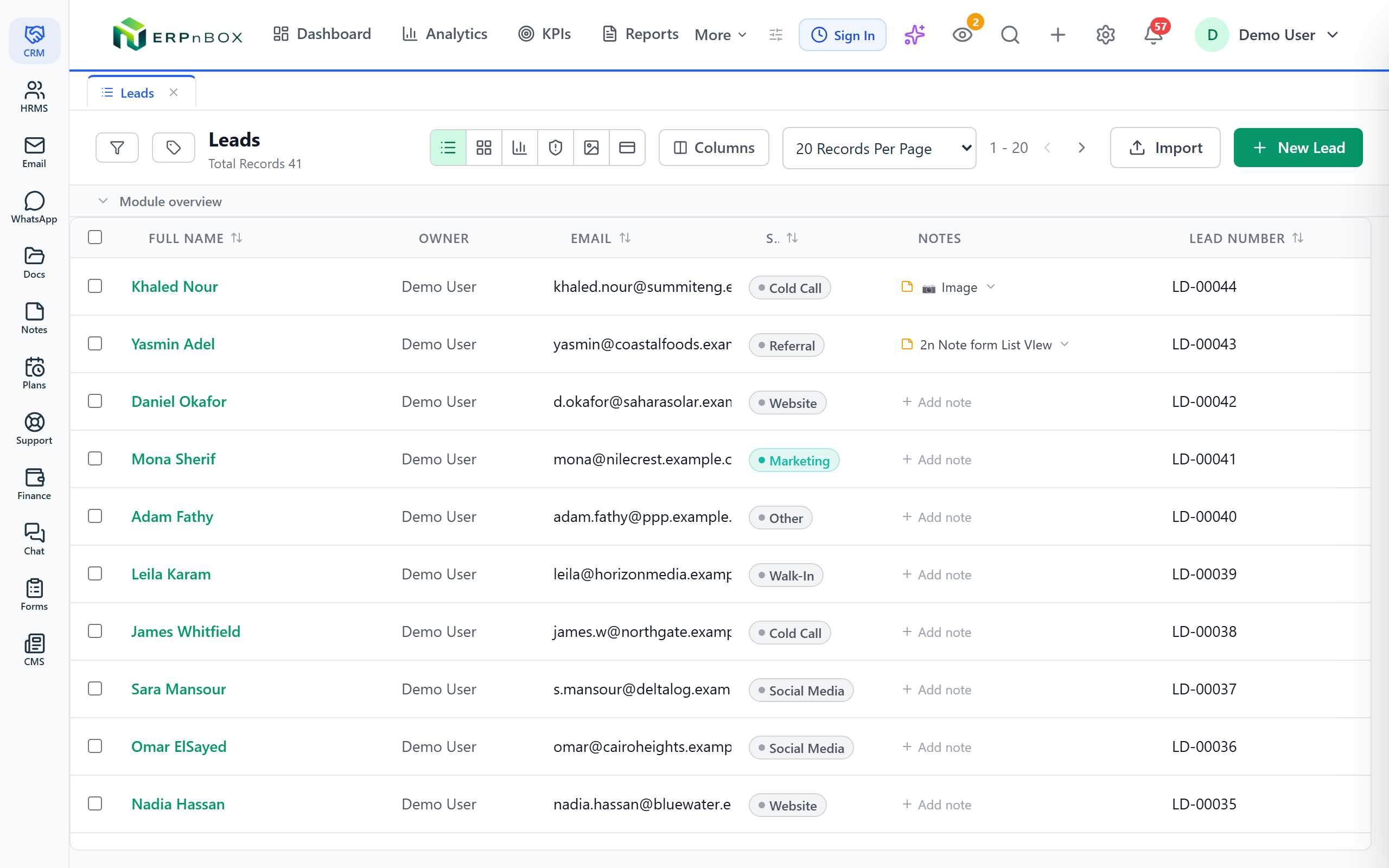
Open any module, click into the filter panel, and add a condition: pick a field, choose an operator, set a value. Stack as many conditions as you need. The list narrows as you go. When it shows exactly what you want, name it and save it — the saved filter is yours alone, and it sits one click away in that module from then on.
Operators do the heavy lifting. Match text with contains or equals, chase dates with before, after or between, and target picklists with is-any-of for multi-value fields. Owner-based filters let a manager slice by rep, team or reporting line. Combine them and a vague pile of records becomes a precise, repeatable list.
Global search needs no setup at all. Start typing in the top bar and results group themselves by app, already trimmed to what you're allowed to see. Between the two, most people rarely scroll a raw list again.
Frequently asked questions
Does global search cover every app or just the CRM?
**Every app.** Because [CRM](/crm), HR, [Finance](/finance), Support and the rest share one workspace in ERPnBox, a single query surfaces results from all of them at once and groups them by app — a lead, an invoice and an employee in the same drop-down.
Will people see records they shouldn't?
**No.** Both search and filters return only what your reporting hierarchy allows. A rep sees their records, a manager sees the team's, and results are trimmed to visibility on every query — so you can **give the search box to everyone without opening the whole database**.
What filter operators can I use?
Text operators like **contains and equals**, date operators like before, after and between, and picklist operators like is-any-of for multi-value fields. You can also filter by **owner, team or reporting line**, and stack several conditions to pin down an exact list.
Are saved filters shared with my team?
Saved filters are **per-user** — each person builds and keeps their own views without cluttering anyone else's. Name a filter once and it sits **one click away** in that module for you from then on, ready every time you open it.
Does search work on mobile?
Yes. The [ERPnBox mobile app](/mobile) for iOS and Android lets you **search and pull up records, activities and dashboards on the go**. Admin configuration stays on the web, but everyday lookups travel with you.


