Every lead, every deal, in one place your whole team can see
Capture a lead, move it down the pipeline, close the deal — and let the routine follow-up run on its own. It sits beside your HR and Finance, so nobody juggles logins.
- Follow every lead from first contact to signed deal without losing one in a spreadsheet
- See your pipeline as a board, a list, or a calendar — whichever way your team thinks
- Hand the repetitive follow-up to rules that never forget and never sleep
- One login covers sales, people, and money — no switching between systems
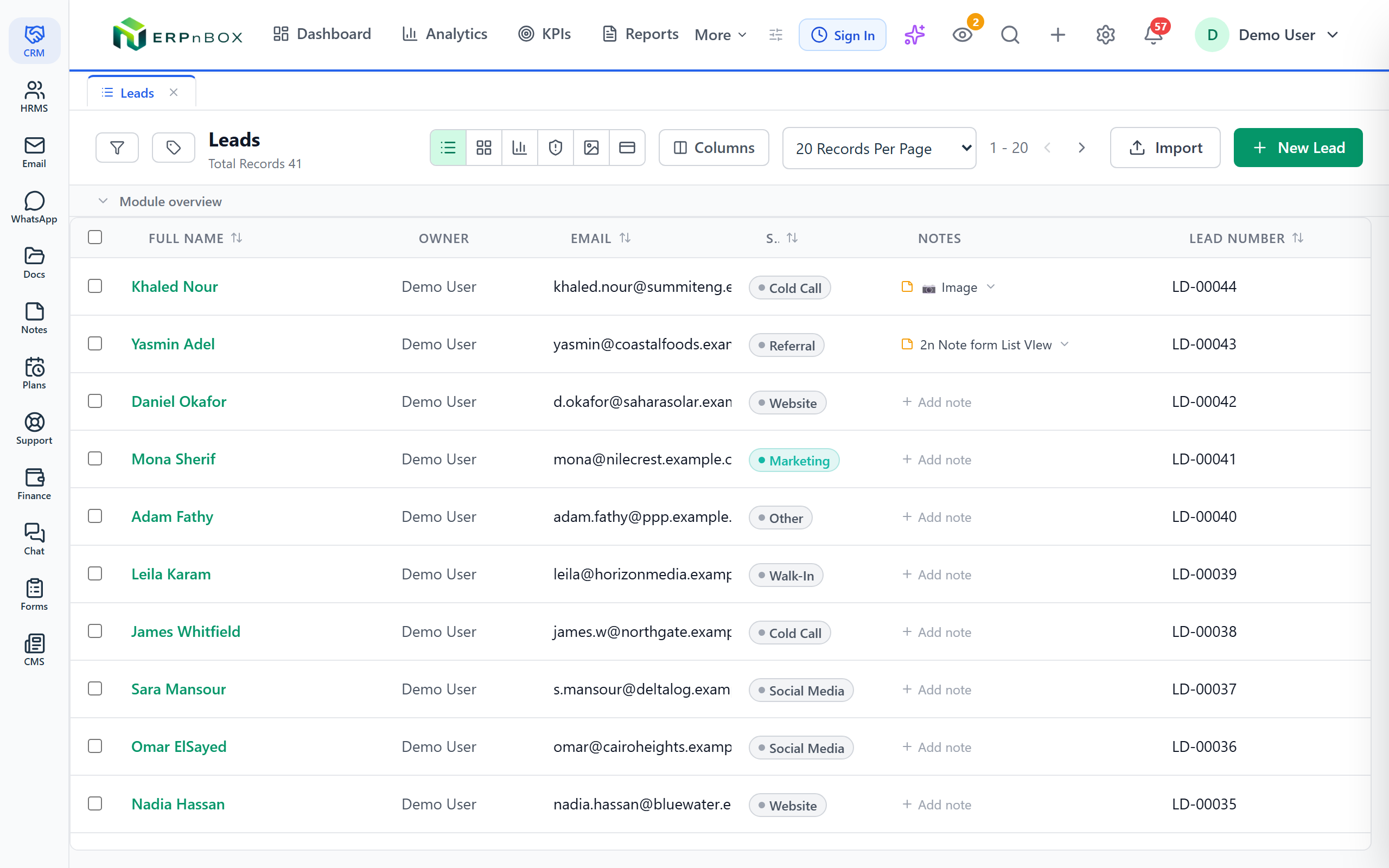
Everything the CRM does
Seven areas that carry a lead from first hello to signed deal — and keep the relationship afterward.
Leads
Capture, qualify, and convert leads into deals without losing a single one along the way.
ExplorePipeline
Move deals through stages you define, and see exactly where every one of them stands.
ExploreAutomation
Set rules once and let the routine follow-up, assignment, and reminders run themselves.
ExploreAnalytics
Turn your records into clear charts and reports that show how sales are really going.
ExploreCommunication
Keep emails and conversations attached to the right record, so history is never lost.
ExploreMobile
Check your pipeline and update records from your phone while you're out with customers.
ExploreCustomization
Add your own fields and reshape modules so the CRM fits the way you actually sell.
Explore7
ways to view your records
23
field types to shape your data
22+
actions your automations can take
1
login for sales, HR & Finance
Sales works in a straight line — your software should too
A lead comes in, someone qualifies it, it becomes a deal, and the deal closes. That path should be obvious to everyone who touches it. ERPnBox lays it out plainly: where each lead stands, who owns it, and what happens next. No hunting through inboxes, no asking a colleague what they remember.
The follow-up you keep forgetting, done for you
Most deals are lost to silence, not to a competitor. ERPnBox lets you set rules once — assign the lead, send the email, create the task, nudge the rep — and then it runs quietly in the background. Your people spend their hours talking to customers instead of remembering to.
01
From lead to deal, one clean path
Capture leads, qualify them, and convert the good ones into deals that move through stages you define. Everyone sees the same picture, so handoffs stop dropping the ball.
02
See the work the way you think
The same records show up as a list, a kanban board, a calendar, a chart, an SLA view, a hero view, or cards. Pick the one that fits the moment; the data underneath never changes.
03
Built around your business, not a template
Add the fields you actually use, from 23 field types, and reshape modules to match how you sell. No developer required, no waiting on a vendor.
04
One system for the whole company
Sales, HR, and Finance live under a single login. A closed deal can flow straight to an invoice; a new hire shows up where sales can see them. Nothing lives on an island.
Full feature list
Everything that's inside
Leads and deals
Lead capture | Bring leads in and keep every detail in one record |
Lead conversion | Turn a qualified lead into a deal in one step |
Pipeline stages | Define the stages a deal passes through, your way |
Ownership and assignment | Every record has a clear owner and can be routed by rule |
Ways to view and organize
Seven view types | List, kanban, calendar, chart, SLA, hero, and cards |
Filters and saved views | Slice records by any field and save the views you reuse |
23 field types | Capture text, numbers, dates, lookups, and more |
Automation and insight
Workflow rules | Trigger 22+ action types when records change |
Seven chart types | Bar, column, line, area, pie, donut, and funnel |
Reports and dashboards | See how the pipeline is really performing |
Explore more
Frequently asked questions
Do I have to buy HR and Finance separately?
No. Sales, HR, and Finance all live in ERPnBox under one login. A deal you close in the CRM can flow straight to an invoice, and your team never juggles separate systems or passwords.
Can I change the fields and stages to match how we sell?
Yes. You choose your pipeline stages and add your own fields from 23 field types. No developer is needed, and you don't wait on us to make the change for you.
How does the automation actually help?
You set rules that watch your records. When something changes, ERPnBox can take 22+ kinds of action — assign the lead, send an email, create a task, or notify the owner — so the routine follow-up happens without anyone remembering to do it.
Can I see my pipeline in different ways?
Yes. The same records appear in seven view types — list, kanban, calendar, chart, SLA, hero, and cards — plus seven chart types for reports. Pick whatever helps you understand the work fastest.
Does it predict which deals will close?
No. ERPnBox shows you clearly where every deal stands and reports on how the pipeline is performing, but it does not make sales forecasts or predictions for you. The judgment stays with your team.
Can I work from my phone?
Yes. There's a mobile app so you can check your pipeline and update records while you're out meeting customers. It works when you have a connection.
Run your whole sales team on ERPnBox
Describe your business and AI sets up your CRM. Start free, no credit card.