Shape it to your business, not the other way around
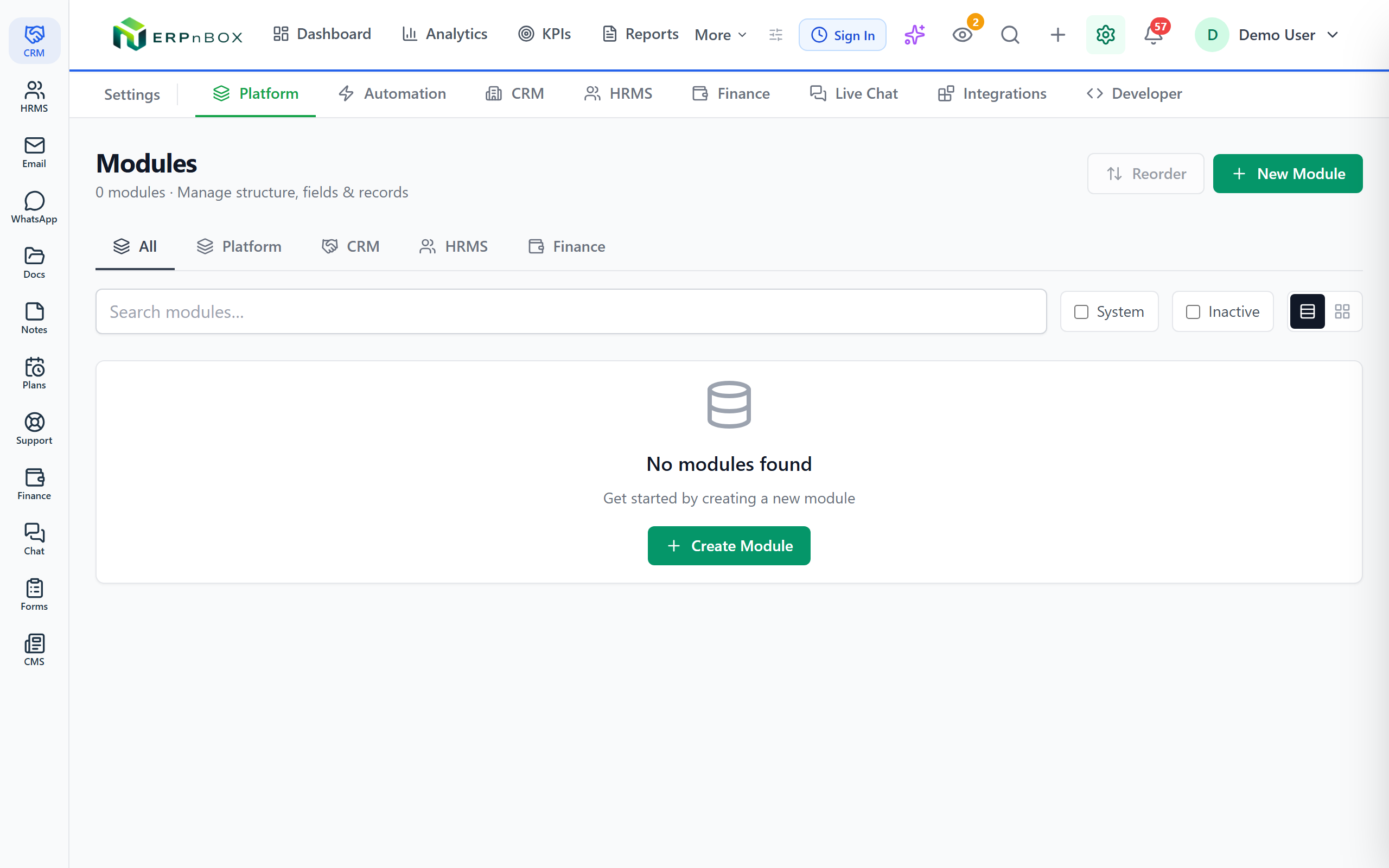
Create any module, add any field, and decide who sees what — all from a visual designer. Describe what you need in plain words and an AI assistant drafts the setup for you to approve.
- 23 field types, including sub-tables, aggregates, rollups, and formulas
- Conditional layout rules that show and hide fields as users type
- Sharing rules and a full reporting hierarchy decide who sees each record
- Test big changes safely in a sandbox before they touch live data
23
field types to build with
5
view types per module
20
tracked history fields per module
0
lines of code required
A designer, not a developer queue
Add a module, drag in fields, arrange them into sections, and set the rules — the moment you save, everyone is working on it. No tickets, no release windows, no waiting on IT.
Describe it, then approve it
Tell the AI config builder what you want in your own words. It proposes the modules, fields, and layouts — you review every change and approve before anything is applied. It suggests; you decide.
01
Fields that calculate, roll up, and remember
Go far beyond text boxes. Embed line-item sub-tables inside a record with formula columns, roll child records up into parent totals, compute values with formula fields, and reuse global picklists across every module. Turn on field history and the system remembers who changed what, and when — for up to 20 fields per module.
02
Forms that adapt as people fill them
Lay fields out in two columns and clean sections, then add layout rules that show, hide, or require fields based on other answers. Record locking freezes records once they reach a stage you choose, so finished deals stay untouched.
03
Control who sees and touches each record
Build your real reporting hierarchy and let sharing rules open the right records to the right people — a manager sees their whole branch, a rep sees their own. Scoped API keys grant outside tools exactly the access you allow, and an audit log records every consequential action.
04
Change boldly, then ship with confidence
Spin up a sandbox environment to try a new structure on real-shaped data without risking production. Save reusable document templates that merge fields from any module into polished PDFs, and run the translation workbench to keep every label correct in Arabic and English.
Full feature list
Everything that's inside
Modules & fields
Custom modules | Create any business entity with a visual drag-and-drop module designer — a whole new module in minutes, no code. |
23 field types | Text, number, decimal, currency, range, date, date-time, checkbox, email, phone, URL, dropdown, multi-select, lookup, user, file, auto-number, formula, auto-rename, sub-table, aggregate, and rollup. |
Sub-tables & aggregates | Embed line-item tables with formula sub-columns, then roll them into parent-level aggregates that recompute on save. |
Rollup & formula fields | Roll child-module records up through lookup relationships and compute values with formula fields at the record level. |
Global picklists | Shared dropdown value sets reused across modules — update the list once and every module reflects it. |
Field history | Track every change to up to 20 configured fields per module — who changed what, and when. |
Layouts & rules
Two-column layouts with sections | Organize fields into sections on a two-column layout, with per-role visibility and field-level permissions. |
Conditional layout rules | Show, hide, or require fields based on other field values — the form adapts as the user types. |
Record locking | Freeze records once they reach a stage you define, so completed work can't be edited by accident. |
Document templates | Reusable templates that merge fields from any module — including lookup parents and linked children — into server-rendered PDFs. |
Access & governance
Sharing rules & hierarchy | A full reporting hierarchy plus sharing rules decide who sees which records — a manager sees the branch, a rep sees their own. |
Scoped API keys | Issue keys that grant outside tools exactly the access you choose — no more, no less. |
Audit log | A running record of consequential actions across the system, so you always know what happened and who did it. |
Mass actions, tags & reminders | Mass update, delete, email, add tags, or change owner across a filtered set — plus tags and reminders on individual records. |
Change safely & bilingually
Sandbox environments | Try new modules, fields, and rules on real-shaped data in an isolated sandbox before they touch production. |
AI config builder | Describe what you need and the AI proposes the setup — every change waits for your review and approval before it applies. |
Translation workbench | Manage every label in Arabic and English side by side, with full right-to-left support built in. |
Frequently asked questions
Do I need a developer to customize it?
No. Everything — modules, fields, layouts, rules, sharing — is built in a visual designer with no code. If you'd rather describe what you want, the AI config builder drafts it and you approve the result.
Can I test changes before they affect my live data?
Yes. Sandbox environments let you try a new structure on real-shaped data in isolation, so you can experiment freely and only apply what works to production.
How do I control who can see each record?
You build your reporting hierarchy and set sharing rules. A manager can see their whole branch while a rep sees only their own records, and field-level permissions hide sensitive fields by role.
Does the AI make changes on its own?
Never. The AI config builder only proposes. It shows you exactly what it would create or change, and nothing is applied until you approve it.
Will my customizations work in Arabic?
Yes. The translation workbench lets you manage every label in Arabic and English, and the entire interface supports right-to-left, so a custom module reads perfectly in either language.
Can I track what changed and roll out updates safely?
Yes. Field history records changes to your chosen fields, the audit log tracks consequential actions across the system, and record locking freezes finished records so they can't be altered.
Run your whole sales team on ERPnBox
Describe your business and AI sets up your CRM. Start free, no credit card.