Put your busywork on autopilot
Route every new lead to the right rep, chase what goes stale, and let the rules do the follow-up. You set the logic once from a screen — no code, no developer, no waiting.
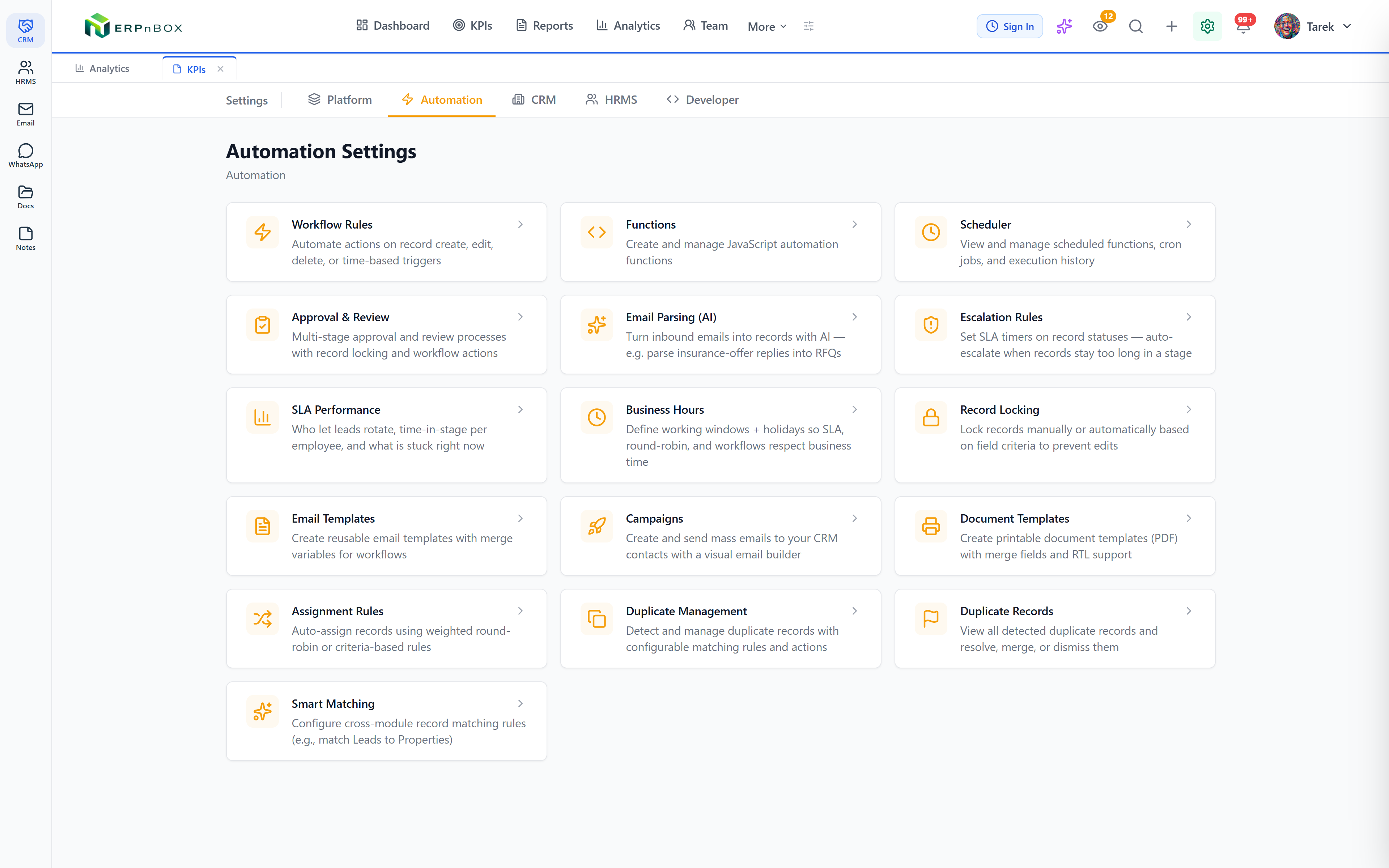
- 22+ workflow actions in a drag-to-reorder sequence
- Weighted round-robin that honors business hours
- SLA timers that pause overnight and on weekends
- Multi-stage approvals with one shared inbox
22+
Workflow action types
3
Assignment strategies
Multi-level
SLA escalation timers
No code
Set every rule from a screen
Rules do the chasing, so your team can sell
A new lead arrives and is assigned, tagged, and emailed within seconds. If it sits too long, an escalation timer reassigns it and alerts a manager. Every step is a rule you shape, not a feature you wait for.
Fair distribution, full accountability
Route records by weighted round-robin, fewest open records, or straight to a named person — with per-user capacity caps and off-hours queueing. Then see exactly how fair the split was and who let a lead go cold.
01
One workflow, 22+ actions in sequence
Trigger on create, edit, delete, a schedule, or a data threshold, then chain actions in a drag-to-reorder list: update fields, change owner, send email, notify people, create records, convert a lead, branch on IF/ELSE, wait for a delay or a date, run a function, publish to your website, and more.
02
Smart assignment that catches up on its own
Distribute by relative weights per person — 50/30/20 — and the engine self-corrects, so anyone who was offline catches up automatically. Or balance by fewest open records, or reassign along the org chart to a team member, direct report, or designation, always picking the least-loaded person.
03
Deadlines that respect business hours
Set multi-level escalation per module — L1 at 4 hours, L2 at 8, each with its own actions. The clock pauses overnight, on weekends, and on holidays, and every record shows a live countdown so nothing quietly breaches while your team is off.
04
Approvals with a single inbox
Build multi-stage sequential approvals with entry criteria, hierarchy-based approvers, delegate support, and actions at each stage. Every pending request across every module lands in one cross-module approvals inbox.
Full feature list
Everything that's inside
Workflow rules
22+ action types | Field updates, owner changes, email, in-app notifications, record creation, tagging, lead conversion, IF/ELSE branching, waits, functions, related-field updates, and website publish or unpublish — all in one ordered sequence. |
Triggers & branching | Fire on create, edit, delete, time, or a data threshold, and split the flow with IF/ELSE conditions so different records take different paths. |
Scheduled actions | Time-relative automation: email three days after a meeting, update a field 30 days after creation, or act a week before a close date — with the option to re-check criteria and respect business hours. |
Validation rules | Block a save when your conditions are not met, and show your own error message so bad data never enters. |
Assignment & routing
Weighted round-robin | Distribute by relative per-person weights with self-correcting catch-up, balance by fewest open records, or route straight to a specific user. |
Business hours & off-hours queue | Records arriving outside business hours queue up and distribute at the next opening, so no lead ever lands on an empty desk. |
Member availability | Per-member day and time windows with timezones, plus a manual out-of-office toggle — unavailable people are skipped. |
Capacity thresholds | Per-user caps and backlog limits with overflow routing, automatic reallocation, VIP exemption criteria, and escalation of stale overflow. |
Assignment analytics | Distribution versus target, a fairness score, velocity over time, and a top-assignees overview per module. |
Approvals, SLA & scoring
Approval processes | Multi-stage sequential approvals with entry criteria, hierarchy-based approvers, delegate support, per-stage actions, and one cross-module approvals inbox. |
SLA escalation | Multi-level escalation timers per module that pause outside business hours, with actions per level and a live countdown on every record. |
Rotation loops | Repeating rules re-route an unworked record between agents until a cap, then run exit actions — like dropping it back into a shared pool. |
SLA performance report | Per-employee accountability that separates genuine inaction from workflow rotations, with compliance rates and a currently-stuck snapshot. |
Scoring rules | Score records with positive and negative criteria; the total score is filterable and usable in assignment. |
Blueprints & developer hooks
Blueprints (process flows) | Design state machines with mandatory transitions, per-transition required fields and conditions, and role-based transition permissions — in a visual flowchart editor. |
Sandboxed custom functions | Server-side JavaScript in a sandbox: read and update records across modules, call external APIs, and send email and notifications — triggered by workflows, buttons, the API, or a schedule. |
Webhooks & custom buttons | Signed, retrying webhooks on record events, and custom buttons that run your functions straight from the record page. |
Frequently asked questions
Do I need a developer to set up automation?
No. Workflow rules, assignment rules, SLA timers, approvals, and blueprints are all built from a screen — you pick triggers, conditions, and actions from menus. For advanced cases you can write a sandboxed function, but the vast majority of teams never need to.
How does weighted round-robin stay fair if someone is out?
The engine compares each person's target share to what they have actually received and gives the next record to whoever is furthest behind. So a rep who was offline automatically catches up once they return — you don't have to rebalance by hand.
Will SLA timers count against my team overnight or on weekends?
Only if you want them to. Escalation timers can respect your business hours, pausing overnight, on weekends, and on the holidays you define, so a four-hour deadline means four working hours, not wall-clock hours.
Can a lead be reassigned automatically if it goes stale?
Yes. An SLA escalation level can reassign the record, and rotation loops can keep re-routing an unworked lead between agents until a cap is hit, then run exit actions such as returning it to a shared pool.
Can automation send emails and notifications on its own?
Yes. A workflow action can send an email — from a template or composed inline with merge fields — to a fixed address, a field, the record owner, or up the owner's management chain, and send in-app notifications to owners, specific users, a designation, or the reporting hierarchy.
What's the difference between a blueprint and a workflow rule?
A workflow rule fires actions when something happens. A blueprint governs how a record moves between stages — it enforces mandatory transitions, required fields and conditions at each step, and who is allowed to make each move, all in a visual flowchart.
Run your whole sales team on ERPnBox
Describe your business and AI sets up your CRM. Start free, no credit card.