
The short answer
The ERPnBox Kanban view shows a module as a board: columns are stages, cards are deals, and dragging a card updates the record everywhere. It is one of seven views. You configure stages, colors, and per-role pipelines yourself. Note: the board is web-only, not on mobile.
Your sales pipeline is a story: who is talking to whom, what is close, what is stuck. On a spreadsheet that story is invisible. On a Kanban board it is a wall your whole team can read in a glance — and change with a drag.
What is the Kanban pipeline view in ERPnBox?
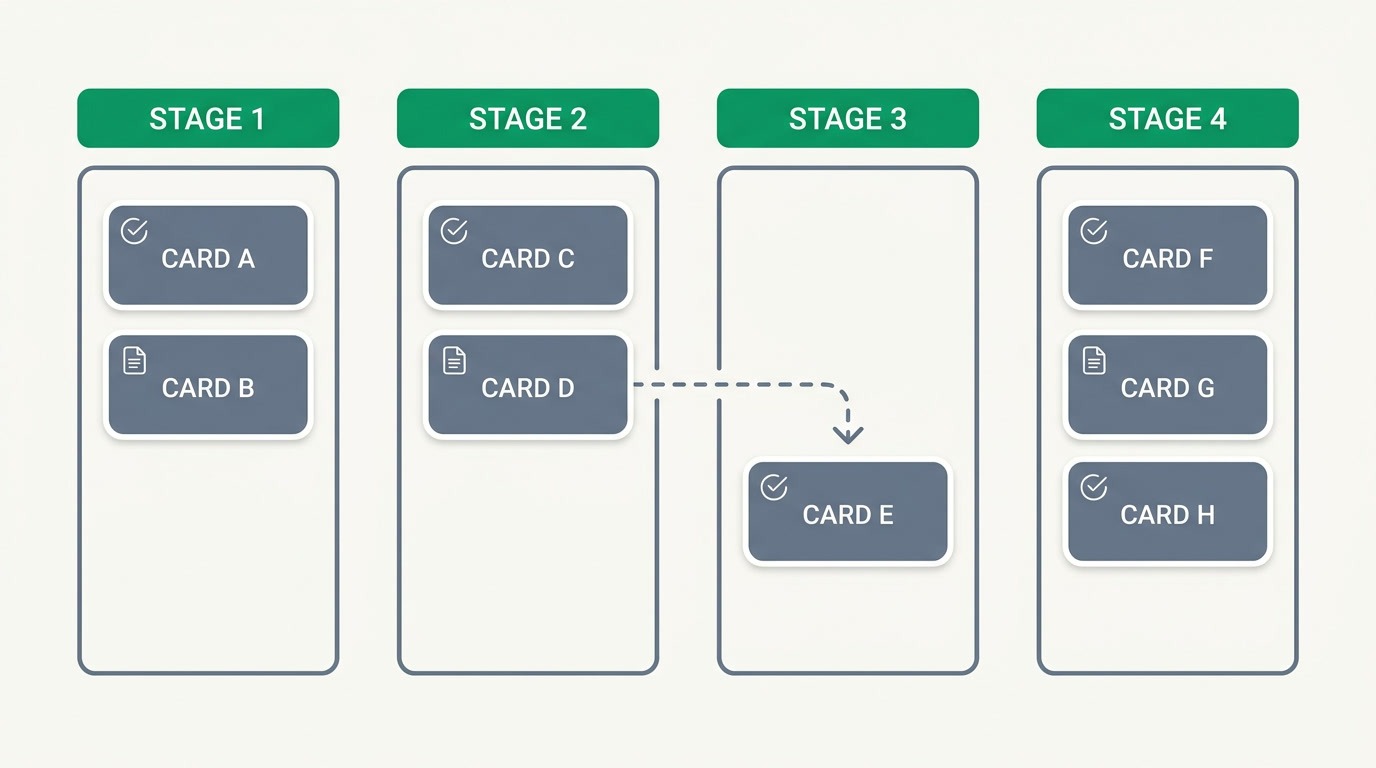
It is a board where each column is a stage and each card is a deal. You drag a card from one column to the next to move it forward. It is one of seven ways to look at any module in ERPnBox — the same records you see as a list, a calendar, or a chart, arranged instead as a visual pipeline your team can act on.
Moving a card is not decoration — it rewrites the record. Drop a deal into "Negotiation" and its stage field updates in the same database every report, workflow automation, and dashboard reads. If a stage requires information before entry, the board asks for it on the spot, so a deal never advances half-filled.
Why does a visual pipeline matter for a sales team?
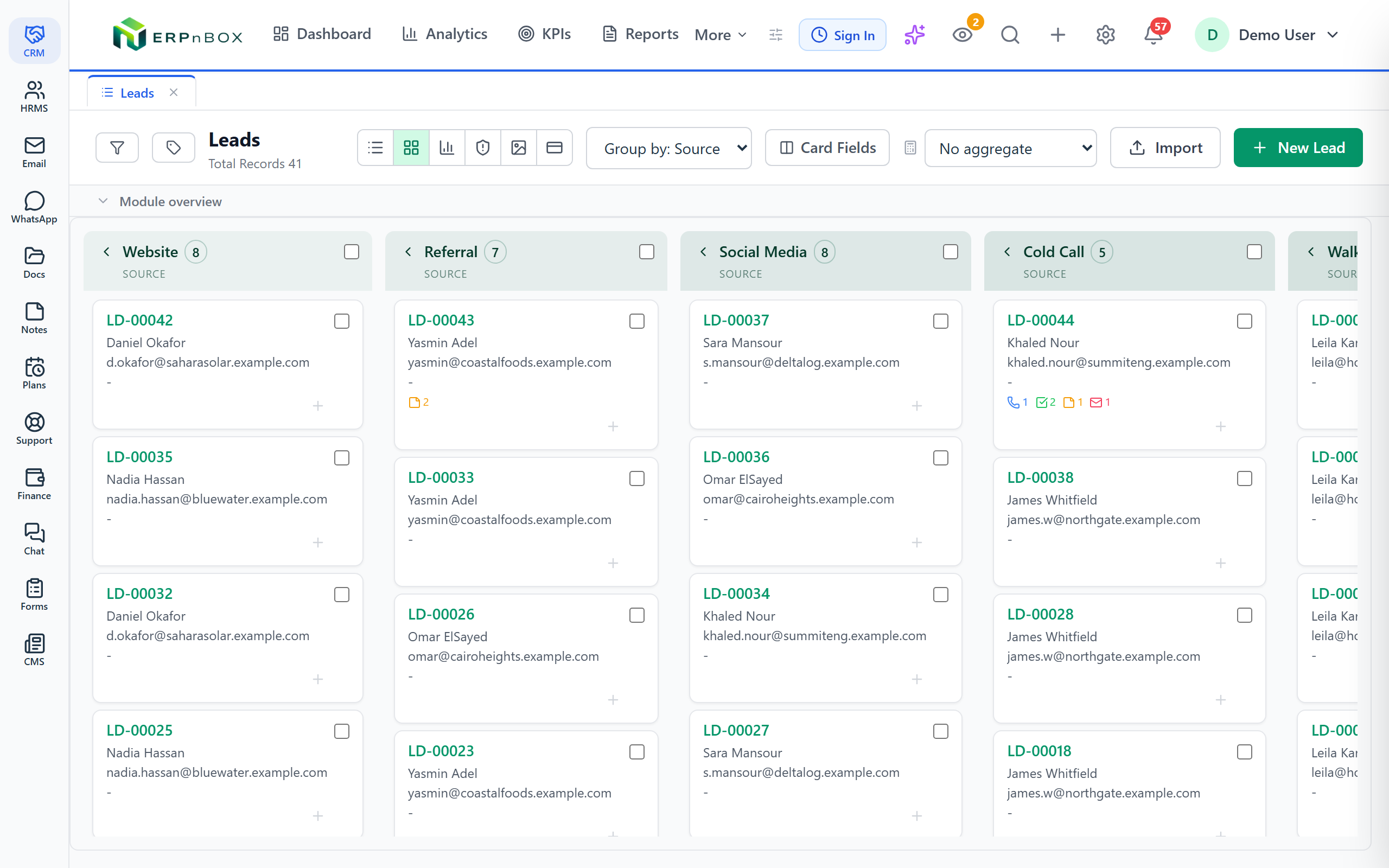
Because a pipeline nobody looks at is not a pipeline — it is a filing cabinet. A board earns attention. In one screen a manager sees where deals pile up, where they stall, and which column has gone quiet. The team updates it because dragging a card is faster than opening a form, so the picture stays true.
Each column can carry a running total at its head — the sum of deal value in that stage, or an average — so "what is worth this month" is a number you read, not a report you request. Cards you just moved rise to the top so the team can see the change land.
| Spreadsheet pipeline | ERPnBox Kanban board |
|---|---|
| Read rows to find a deal's stage | See every stage at a glance |
| Edit a cell to move a deal | Drag the card to the next column |
| Stage totals need a formula | Column totals sit at the top |
| One shared file, easy to break | Live records, connected across apps |
Which teams and industries use a Kanban pipeline?
Any team that moves work through stages. Sales run deals from lead to closed. Recruiters move candidates through interviews. Support triages tickets. A property firm walks a buyer from inquiry to reservation to contract; an agency tracks projects from brief to delivery. Because ERPnBox is metadata-driven, a board fits any module you build.
You can even give each role its own board. A junior rep sees only the stages they own; a manager sees the full pipeline. Same deals, different columns, no confusion — the board shows each person the slice of the process that is theirs to move.
See the Kanban board and six other views inside the CRM.
Explore the CRMHow do you set up stages, colors and per-role pipelines?
Pick the field that defines your stages — usually a status or stage picklist — and the board turns each of its options into a column, in the order you set. Add, rename, reorder, or remove a stage and the columns follow. No developer, no ticket: you shape the pipeline the way your business actually sells.
Colors are yours too. Choose one brand shade and let stages step through it, or give each stage its own color so "hot" and "cold" read instantly. Decide which fields appear on each card, and set a column to sum or average a value like deal size at its header.
To scope a pipeline to a role, choose which stages that role's board shows. And if a stage should never be entered without, say, a close date, add a rule — the board will pause the drop and ask for it. One caveat: the Kanban board is a web feature. The mobile apps show records, activities, dashboards and HR self-service, but not the drag-and-drop board.
Frequently asked questions
How do I move a deal to the next stage?
Drag its card from one column and drop it in the next. **The record's stage field updates instantly**, and every report, dashboard, and workflow that reads that field updates with it. If the new stage requires fields the deal is missing, the board asks for them before the move completes.
Can I change the pipeline stages myself?
Yes. The columns come from a stage field you control. Add, rename, reorder, or remove options and the board's columns follow — **no developer needed**. Because ERPnBox is metadata-driven, you can build a board for any module you create, not just deals.
Can different roles see different pipelines?
Yes. You can **scope a board to a role** so it shows only the stages that role works in. A rep sees their slice of the process; a manager sees the whole thing. They are the same underlying deals, just presented with the columns each person needs.
Is the Kanban board available on mobile?
No. **The drag-and-drop Kanban board is a web feature.** The [ERPnBox mobile apps](/mobile) for iOS and Android cover records, activities, dashboards, the AI assistant, and HR self-service, but the pipeline board and admin configuration stay on the web.
Can I see the value of each stage?
Yes. Set a column to sum or average a numeric field — such as deal size — and **the total sits at the head of each column**. You read the weight of every stage without running a separate report.


