Know what you owe, to the last pound.
Enter a vendor bill and it becomes a line you can pay, allocate, dispute, or credit — with budgets that warn or block before the money leaves, and every attachment filed against the vendor who sent it.
- Record vendor bills and pay them with allocation across open bills
- Convert a purchase order to a bill without re-keying a line
- Budgets that warn or block spending before it's committed
- Bill approvals, vendor credits, and a full vendor 360
Warn or block
Two budget-enforcement modes on committed spend
1 click
Purchase order converts straight to a vendor bill
Vendor 360
Bills, payments, credits, and files on one screen
One login
Payables sits beside your CRM, not in another tool
Every bill becomes something you can act on
A vendor bill isn't just a number in a spreadsheet. Record it, route it for approval, pay part or all of it, split one payment across several open bills, or answer it with a vendor credit — each step tied to the vendor and visible on their record.
Stop overspend before it happens
Set a budget for a cost center and choose what happens when someone approaches it: a soft warning that lets them proceed, or a hard block that refuses the entry. The control lives in the workflow, not in a monthly report you read too late.
01
Pay smart, allocate precisely
Record a payment made and allocate it across whichever open bills it settles — no more guessing which invoice a wire covered. Overpaid or returned a bill? A vendor credit sits on the account, ready to apply against the next bill.
02
From purchase order to bill, cleanly
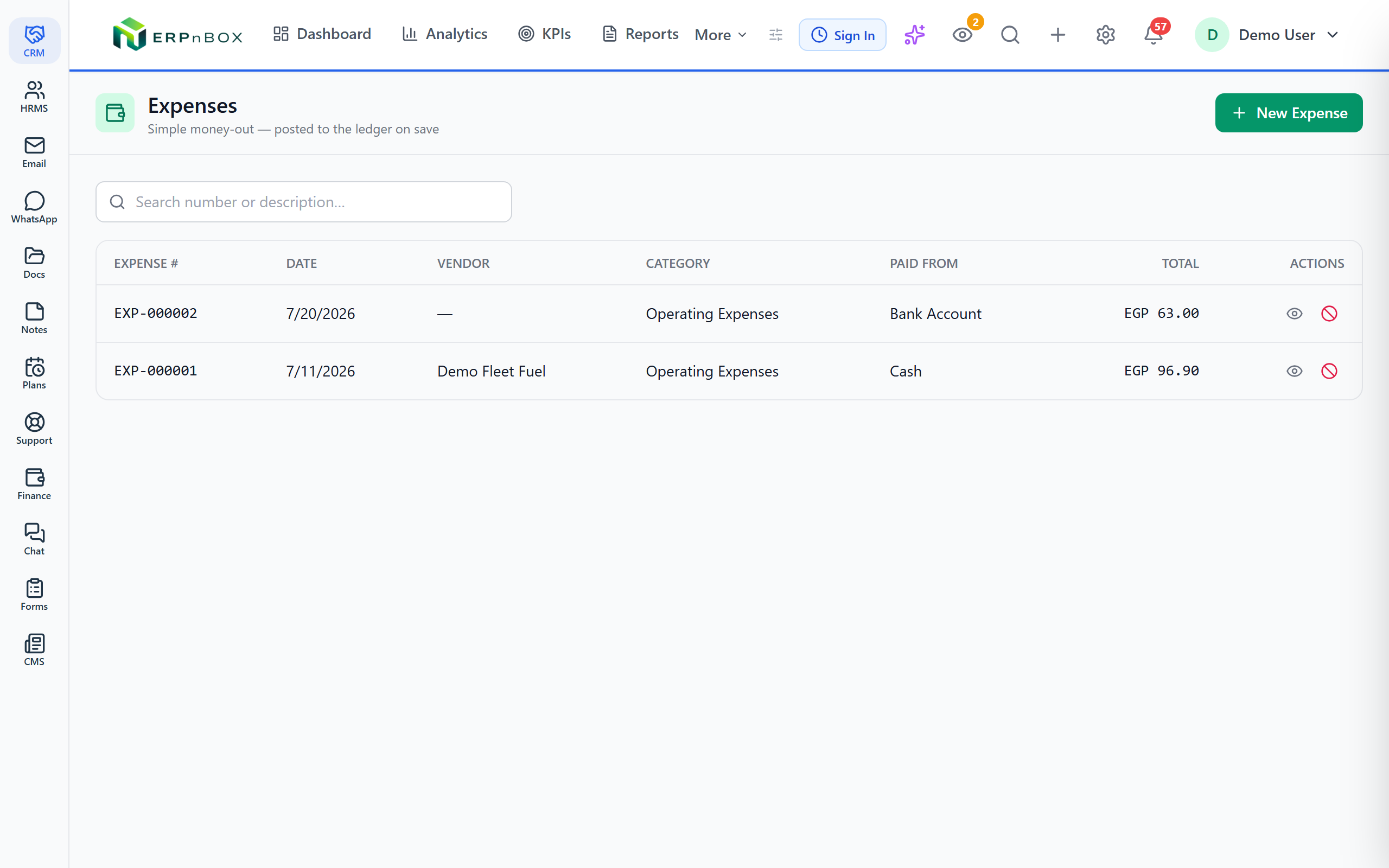
Raise a purchase order, then convert it to a vendor bill in one step when the goods or invoice arrive — the lines carry over so you're not typing the same order twice. For small out-of-pocket costs, a quick expense captures the spend without a full bill.
03
Approvals and a paper trail that holds up
Route bills for approval before they're paid, attach the supplier's PDF or receipt to the bill itself, and open a vendor 360 to see every bill, payment, credit, and file for that supplier in one place. Bad debt or a bill you'll never pay can be written off cleanly.
Full feature list
Everything that's inside
Bills & purchase orders
Vendor bills | Record what suppliers charge you, with line items, dates, and the vendor they came from — the backbone of your payables. |
Purchase orders | Raise a PO for what you intend to buy, then convert it to a vendor bill in one step when it's time to pay — lines carry over. |
Quick expenses | Capture a small, out-of-pocket cost without raising a full bill — fast entry for everyday spend. |
Attachments | Attach the supplier's PDF, receipt, or contract to the bill so the evidence lives with the record. |
Payments & credits
Payments made | Record money paid out to suppliers and keep your payables balance current. |
Payment allocation | Split one payment across several open bills so every bill shows exactly what's still owed. |
Vendor credits | Hold a credit on a vendor's account — from an overpayment or return — and apply it against a future bill. |
Write-offs | Write off bad debt or a balance you'll never settle, cleanly and on the record. |
Control & visibility
Budget enforcement | Set a budget and choose to warn (proceed with a caution) or block (refuse the entry) when spend hits the limit. |
Cost centers | Tag spend to a single cost-center dimension so you can see where the money goes by department or project. |
Bill approvals | Route a bill for approval before it can be paid, so no payment leaves without sign-off. |
Vendor 360 | See every bill, payment, credit, and attachment for a supplier on one screen. |
Frequently asked questions
Can I split one payment across several bills?
Yes. When you record a payment made, you allocate it across whichever open bills it settles, so each bill shows exactly how much is still owed rather than a lump sum you have to reconcile later.
Does it scan or read bills automatically?
No. There's no OCR or automatic bill-scanning — you enter bill details yourself and attach the supplier's file to the record. What you do get is fast entry, quick expenses for small costs, and one-step conversion from a purchase order.
Can I stop a department from overspending?
Yes. Set a budget and choose warn mode — which lets the spend proceed with a caution — or block mode, which refuses the entry outright when it would breach the limit. The control runs at the moment of entry, not in a report you read afterward.
Is there three-way matching against goods receipts?
No. We keep it honest: there's no three-way match between purchase order, receipt, and bill. You can convert a PO to a bill in one step, route bills for approval, and see the full history on the vendor's record — but the automatic three-way reconciliation isn't part of this.
Can I track spend by department or project?
Yes, on a single cost-center dimension. Tag each bill or expense to a cost center to see where money goes by department or project. It's one dimension, not stacked layers of analytical tags — clear and simple.
What happens to a bill I'll never pay?
You can write it off — bad debt or a balance that won't be settled is written off cleanly and stays on the record, so your payables reflect reality instead of carrying a debt that isn't real.
Run your books on ERPnBox
Real double-entry accounting in the same workspace as your CRM. Start free, no credit card.