Sell in every currency. Keep one honest set of books.
Invoice a customer in dollars, pay a supplier in euros, and let ERPnBox record every gain and loss from a moving exchange rate — automatically, at the moment money actually changes hands.
- The exchange rate is frozen onto each invoice and bill the moment you post it, so a later payment measures the real gain or loss against the rate your books already recorded.
- Your ledger always stays in one base currency — and it locks the moment you post your first entry, so no one can quietly rewrite the value of everything you have recorded.
- Rates refresh themselves every day from a free public source — no signup, no key, no monthly fee — for every currency you actually use.
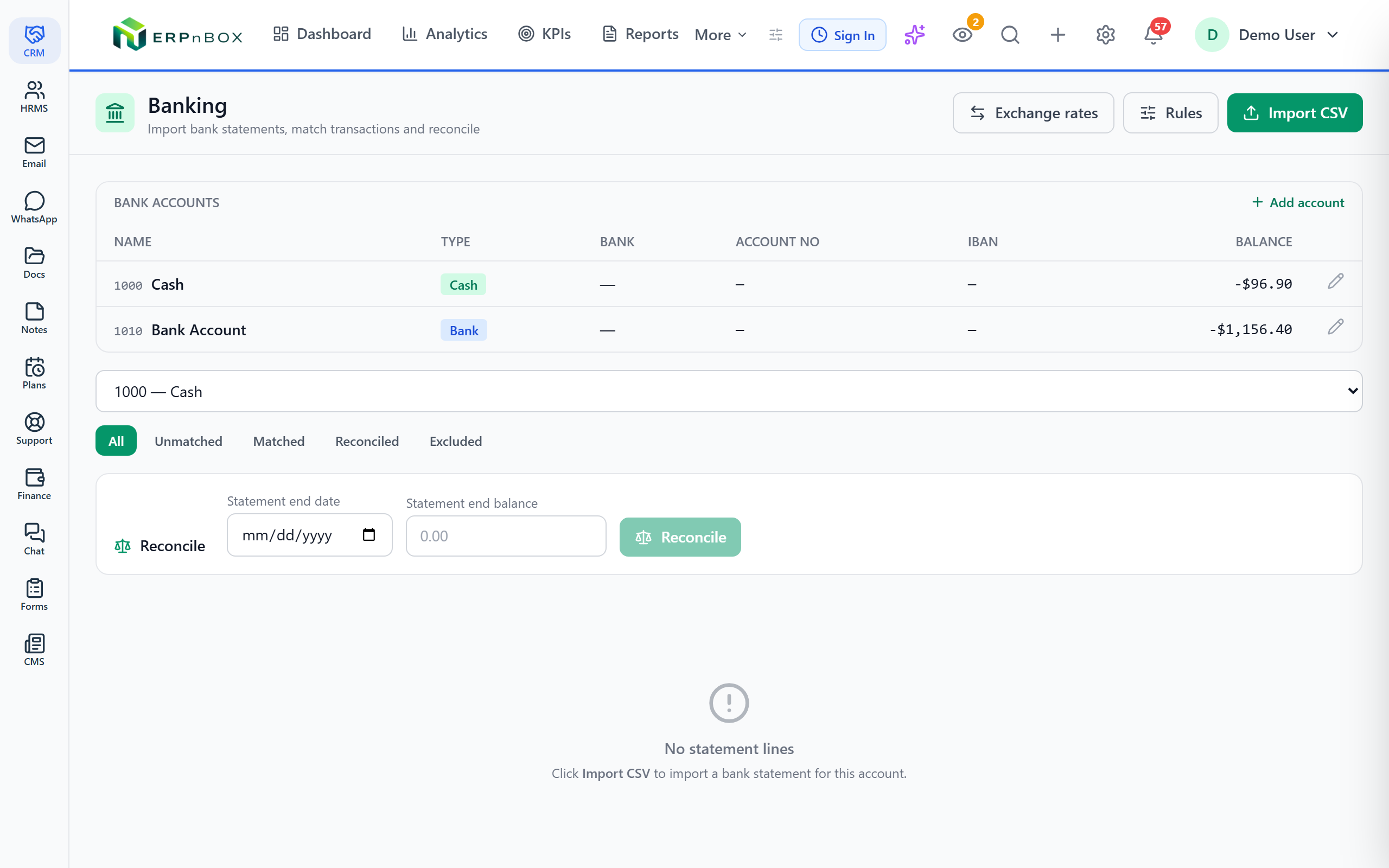
- Import a bank statement as a CSV, let ERPnBox suggest matches to entries you already posted, and reconcile against the statement's closing balance.
~160
currencies from the free daily rate source
Daily
automatic rate refresh, no key required
±7 days
window used to suggest bank matches
1
base currency, locked after the first entry
Foreign currency, without the guesswork
When you post an invoice or a bill in a foreign currency, ERPnBox converts it to your base currency and freezes that exact rate onto the document. Every line in your ledger is recorded in one currency, so your reports never mix apples and oranges. When the customer finally pays — weeks later, at a different rate — the difference is booked as a real foreign-exchange gain or loss, measured against the rate you started with. Nothing is estimated and nothing is lost.
Your bank, brought into the books
Each of your bank and cash accounts is a real ledger account, so its balance is always part of your books — not a spreadsheet on the side. Download your statement as a CSV, import it, and ERPnBox lines it up against what you already posted. It skips duplicates when you re-import an overlapping export, suggests likely matches, and lets you set rules so recurring charges code themselves. Then reconcile through a date and see exactly where your books and your bank agree — or don't.
01
Rates frozen where they matter
Post a document and its exchange rate is captured for good. Payments compute realized gain or loss against that same frozen rate, so a swing in the market never quietly distorts what you actually earned or spent.
02
Period-end revaluation, then it reverses itself
Preview every open foreign invoice and bill at today's rate, then post a revaluation that marks them to market as of your chosen date — and reverses itself the next day, so settlement-time gains and losses are never double-counted.
03
Bank rules that do the coding
Write a rule once — match a phrase in the description, optionally limited to money in or money out — and every matching statement line books itself to the account you chose, in priority order.
04
Customers in sync with your CRM
Point Finance at a CRM module — contacts, accounts, or converted leads — and keep your customer list current. Choose one-way (CRM feeds Finance) or two-way, where customers you create in Finance push back into the CRM.
Full feature list
Everything that's inside
Multi-currency
Base currency | One base currency for the whole ledger, seeded from your organization settings and locked automatically once the first entry is posted. |
Frozen document rate | Every foreign invoice and bill carries the exact rate used to convert it, so later payments settle against the original figure. |
Realized FX gain/loss | When a foreign balance is paid at a different rate, the difference posts to a dedicated FX gain/loss account. |
Unrealized FX revaluation | Mark open foreign balances to market at a date with a self-reversing entry pair, so statements reflect the current rate without double-counting. |
Automatic daily rates | A daily fetch pulls rates for every currency you use from a free public source — no account, no API key, no fee. |
Manual rate entry | Add or correct a rate for any currency and date by hand; posting refuses to guess when no rate exists. |
Banking & reconciliation
Bank & cash as ledger accounts | Every bank and cash account is a real account in your chart, so its balance is always in the books. |
CSV statement import | Import your bank statement from a CSV file; overlapping re-imports skip lines you already brought in. |
Match suggestions | Each unmatched line offers up to three likely posted entries — same account, same amount, right side, within seven days. |
Match, exclude, or code | Confirm a match, exclude a line you don't want, or book a line straight to a category account with one action. |
Bank rules | Auto-code recurring lines by matching text and direction, applied in priority order across unmatched lines. |
Reconciliation | Reconcile through a date, freeze matched lines, and compare your ledger balance against the statement's closing balance. |
CRM customer sync
Pick the source module | Choose any CRM module — contacts, accounts, or converted leads — as the source of truth for your customer list. |
One-way sync | A recurring sweep keeps linked finance customers refreshed from the CRM, while manually created customers are left untouched. |
Two-way sync | On top of the incoming sync, customers you create or edit in Finance push back into the chosen CRM module. |
Frequently asked questions
Does ERPnBox connect directly to my bank account?
No. There are no live bank feeds. You download your statement from your bank as a CSV file and import it — a deliberate choice that keeps your banking credentials out of the system entirely.
Can I change my base currency later?
Only while your ledger is still empty. Once the first entry is posted, the base currency locks — because every amount is stored in it, and changing it would falsify your books. This is exactly how Zoho Books, QuickBooks, and Xero behave.
Where do the exchange rates come from?
Rates refresh automatically each day from a free public source covering around 160 currencies — no signup and no API key. You can also add or correct any rate by hand, and posting will never guess a rate that doesn't exist.
How does realized FX gain or loss get recorded?
When a foreign invoice or bill is paid at a rate different from the one frozen on the document, the difference posts to a dedicated FX gain/loss account. Because it's measured against the original frozen rate, the figure is always the true economic result.
What is unrealized FX revaluation for?
At period end, your open foreign balances are still on the books at their old frozen rates. A revaluation marks them to the current rate as of your chosen date, then reverses itself the following day — so your statements show today's value without ever double-counting the gain or loss at settlement.
Can bank rules code my recurring transactions automatically?
Yes. Create a rule that matches a phrase in the line description — optionally limited to money coming in or going out — and point it at a category account. Applied in priority order, each matching statement line books itself, so recurring charges never need manual coding.
Run your books on ERPnBox
Real double-entry accounting in the same workspace as your CRM. Start free, no credit card.