The short answer
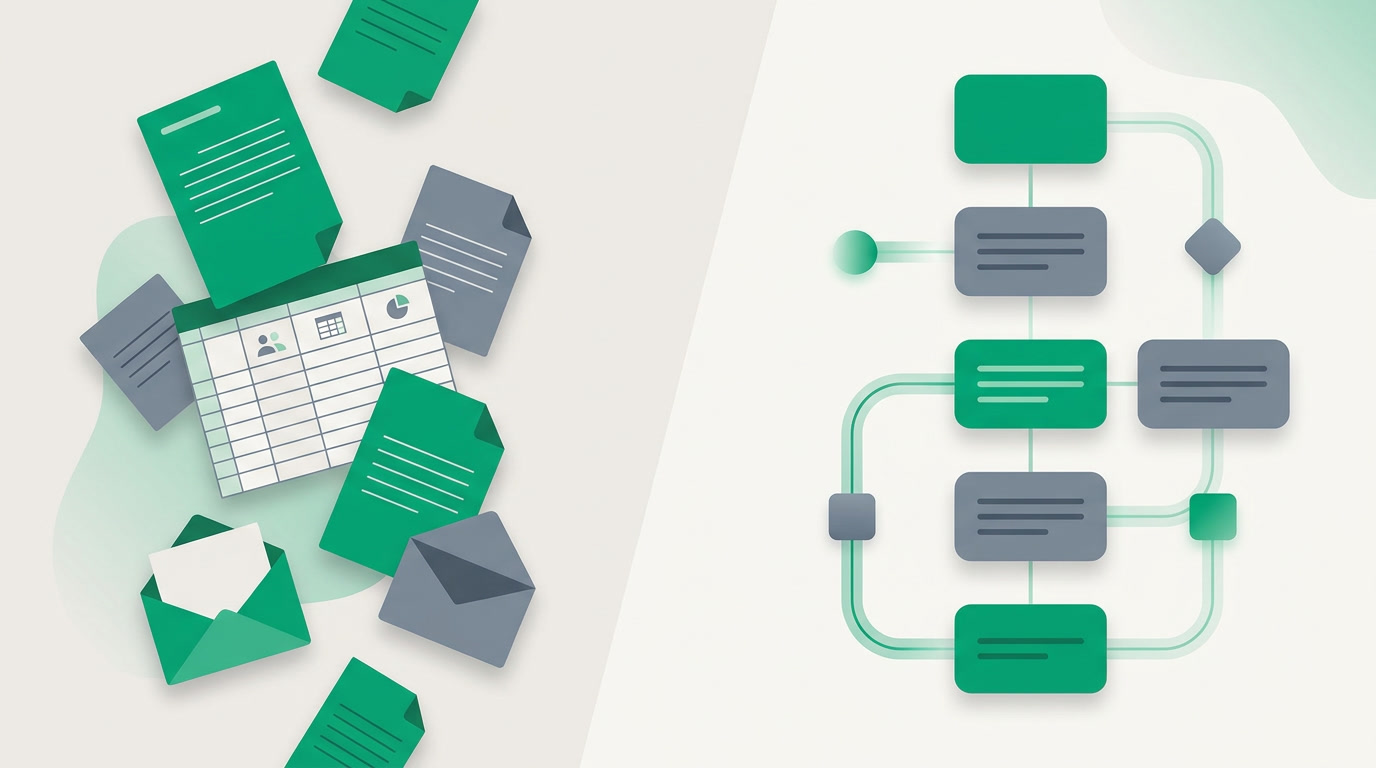
A CRM (customer relationship management) system is software that keeps every contact, conversation, and deal in one place, so a business can capture leads, follow up on time, and see the whole relationship with each customer. It replaces scattered spreadsheets, inboxes, and sticky notes with a single, shared record.
Every business runs on relationships. A customer emails on Monday, calls on Thursday, and expects you to remember both. A prospect asks for a quote, goes quiet, and needs a nudge three weeks later. Somewhere in that gap between interest and payment, deals quietly disappear — not because the product was wrong, but because someone forgot to follow up.
A CRM exists to close that gap. It is the shared memory of your business — a place where every lead, contact, message, and deal lives together, visible to everyone who needs it. This guide explains what a CRM actually is, what it does, and how to choose one without the jargon, so you can decide whether your business needs one and what to look for.
What is a CRM, exactly?
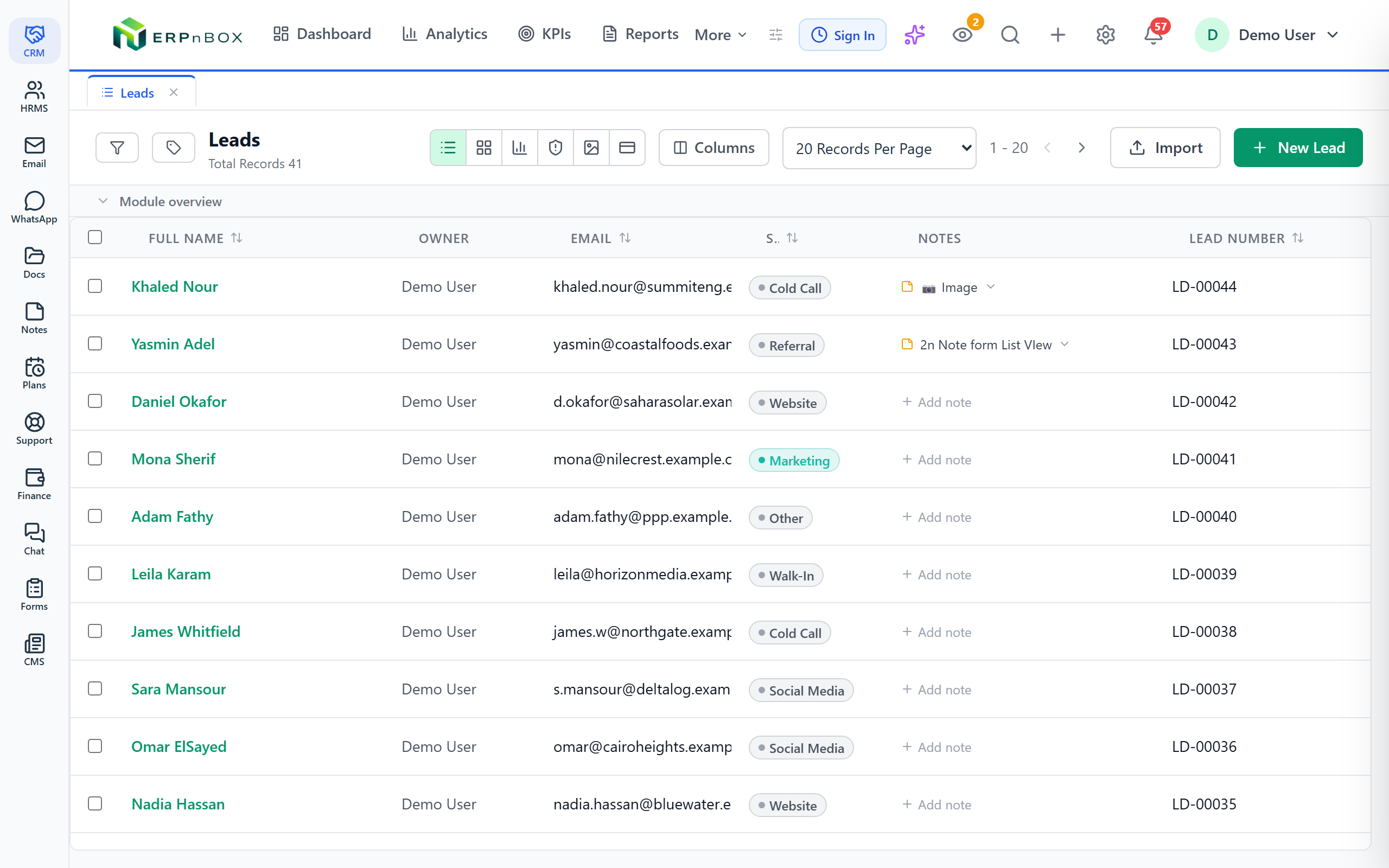
A CRM — short for customer relationship management — is software that stores and organizes everything your business knows about its customers and prospects in one place. Instead of details scattered across inboxes, phones, and spreadsheets, a CRM keeps one shared record for each person or company you deal with.
Picture a small design studio. A referral comes in through email; the founder jots the name on a sticky note. A week later a colleague speaks to the same person by phone but never sees the note. The quote is promised, then forgotten. Two weeks on, the prospect hires someone else. Nothing was wrong with the work — the relationship simply fell through the cracks. A CRM is what catches it: one record showing the email, the call, the quote, and a reminder to follow up on Friday. Everyone sees the same story, so no one drops the ball.
What does a CRM actually do?
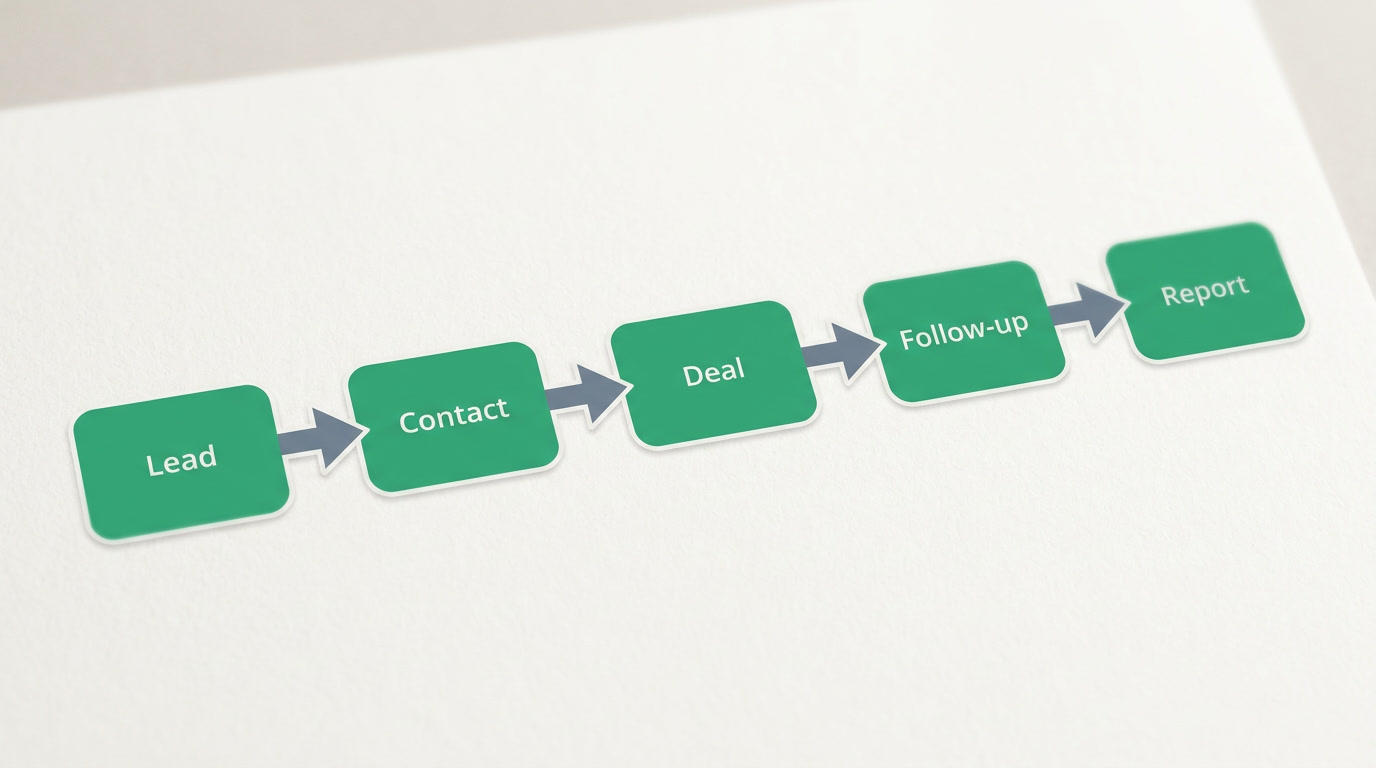
A CRM does five core jobs: it captures leads from wherever they arrive, organizes contacts into a clean database, tracks each deal through your sales stages, automates routine follow-up, and reports on what is working. Together these turn guesswork and memory into a reliable process anyone on your team can follow.
- Capture leads — pull in new inquiries from your website forms, email, phone, and social messages so nothing is left in an inbox.
- Organize contacts — keep clean, de-duplicated records of every person and company, with their history attached.
- Track deals — move each opportunity through visible stages (new, qualified, proposal, won or lost) so you always know where the money sits.
- Automate follow-up — send reminders, assign tasks, and trigger emails so the right nudge happens at the right time without anyone remembering.
- Report — show how many leads came in, how many turned into customers, and which efforts pay off, so decisions rest on facts, not hunches.
Why do businesses use a CRM?
Businesses adopt a CRM to stop losing money to disorganization. It removes four everyday pains: leads slipping through the cracks, no single view of a customer, follow-up done by memory, and no visibility into what the team is actually doing. The payoff is fewer dropped deals and calmer, more predictable weeks.
Before and after
Before: A customer's history lives in three inboxes, one phone, and a spreadsheet only one person can find. Follow-ups depend on who remembers. Nobody can say how many deals are open this month. After: One record per customer holds every email, call, and note. Reminders fire on their own. A single screen shows every open deal and its stage. The difference is not more effort — it is less lost.
What are the main features of a CRM?
Most CRMs share a common toolkit: contact management, lead management, a deal pipeline, sales automation, built-in communication, reporting, customization, and mobile access. You will not use all of them on day one, but knowing what each does helps you tell a capable tool from a glorified address book.
| Feature | What it does |
|---|---|
| Contact management | Stores every person and company with full history — emails, calls, notes, and files in one profile. |
| Lead management | Captures, scores, and assigns new inquiries so the right person picks them up fast. |
| Deal / pipeline | Shows every opportunity as a card moving through stages, with its value and next step visible. |
| Automation & workflows | Runs the repetitive steps for you — assign a lead, send a reminder, update a stage — by rule. |
| Email & communication | Sends and logs emails (and often chat and calls) against the contact, so the thread never scatters. |
| Analytics & reports | Turns activity into dashboards — win rate, pipeline value, response time — you can act on. |
| Customization | Adapts fields, stages, and layouts to how your business actually works, not a generic template. |
| Mobile access | Lets the team see and update records from a phone — useful for anyone who sells away from a desk. |
What are the types of CRM?
CRMs are grouped two ways. By purpose, there are three types: operational (runs daily sales and service work), analytical (turns data into insight), and collaborative (shares customer info across teams). By where they live, there is cloud versus on-premise. Most small businesses want an operational CRM delivered online.
- Operational CRM — the everyday workhorse. It manages contacts, pipelines, and automation for sales, marketing, and support teams. This is what most people mean by "a CRM."
- Analytical CRM — focuses on understanding the data: which sources bring the best customers, why deals are lost, what patterns predict churn.
- Collaborative CRM — makes sure sales, marketing, and support all see the same customer, so handoffs are smooth and nobody repeats a question.
- Cloud vs on-premise — a cloud CRM runs online with nothing to install and updates itself; an on-premise CRM runs on your own servers, giving more control but demanding IT staff, maintenance, and upfront cost. For most small businesses, online is simpler and cheaper to start.
Who uses a CRM?
A CRM is not only for salespeople. Sales teams track deals, marketing runs and measures campaigns, support answers customers with full history in view, and owners or operations get the honest picture of the whole business. Any team that touches a customer benefits from one shared record.
- Sales — see every open deal, its stage, and the next step, and never lose a warm lead to a forgotten follow-up.
- Marketing — launch campaigns, see which ones bring real customers, and hand qualified leads straight to sales.
- Support — answer with the whole relationship in front of them, so customers never have to repeat themselves.
- Owners & operations — get a true, current picture of pipeline, revenue, and team activity without chasing anyone for a report.
The specifics vary by field — a clinic tracks appointments, an agency tracks projects, a shop tracks repeat buyers — but the shape is the same. See how it maps to different industries if you want examples close to your own work.
CRM vs ERP — what's the difference?
A CRM manages the front of your business — customers, leads, and sales. An ERP (enterprise resource planning) manages the back — accounting, inventory, payroll, and operations. Put simply: a CRM helps you win and keep customers; an ERP helps you run the company that serves them.
The line is blurring. Modern all-in-one platforms now carry both, so a sale in the CRM can flow straight into an invoice in finance without re-typing anything. If you are weighing the two, our CRM vs ERP comparison lays out when you need one, the other, or both together.
How do you choose the right CRM?
Choose a CRM on four practical tests: does it fit the way you already sell, will your team actually use it, is the full price honest, and does it connect to the rest of your tools? The best CRM is rarely the most powerful — it is the one your team opens every morning without being told to.
- Fit your process — the tool should bend to your sales stages and language, not force you to work its way.
- Ease of use & adoption — if it takes a week of training, it will sit empty. Simple wins.
- Total price, including the hidden costs — count add-ons, per-feature upsells, and paid onboarding, not just the sticker per user.
- Connection to your other tools — a CRM that stands alone becomes another island. It should talk to your email, your finance, and your team.
The category has strong, honest options. Salesforce is the most powerful and configurable, but complex and expensive for a small team. HubSpot pairs excellent marketing with a CRM and a genuine free tier, though pricing climbs as you grow. Zoho offers a broad, affordable suite. Pipedrive keeps things beautifully simple for sales-focused teams. Microsoft Dynamics suits larger enterprises already in the Microsoft world. Our guide on how to choose a CRM walks through matching these to your situation.
This is where ERPnBox fits, honestly. Most CRMs solve the front of the business and leave the back — finance, HR and payroll — in separate tools that never quite talk. ERPnBox is built as one connected system, so a won deal becomes an invoice and a new hire lands in payroll without exporting a single spreadsheet. It is the all-in-one platform for a small business that would rather run on one login than stitch five apps together.
See your whole business in one place
Try ERPnBox free for 30 days — CRM, finance, HR, and more on one login. No card required.
Start free trialOne last shift worth naming: AI is now part of the modern CRM, and it is genuinely useful when it stays honest. Today's assistants draft follow-up emails, summarize a long thread, and surface which deals need attention — saving real minutes every day. What they do not do is replace judgment or predict the future. Treat AI as a fast assistant, not a crystal ball, and a good CRM will keep earning its place in your week for years.
Frequently asked questions
Is a CRM only for sales teams?
No. Sales teams are the most visible users, but **marketing, support, and owners** all rely on the same shared record. Marketing measures campaigns, support answers with full history in view, and owners get a true picture of the pipeline. Any team that touches a customer benefits.
Do small businesses really need a CRM?
Usually, yes — and often sooner than they think. The moment you have **more leads than you can hold in your head**, or more than one person touching customers, memory and spreadsheets start dropping deals. A CRM pays for itself the first time it catches a follow-up you would have forgotten.
How much does a CRM cost?
Most CRMs are priced **per user per month**, ranging from free entry tiers to well over $100 a seat for enterprise suites. Watch the hidden costs: paid add-ons, onboarding fees, and features locked to higher plans. For reference, ERPnBox is $15 per user (Professional) or $20 (Growth), with a 30-day free trial and no card. Compare full [pricing](/pricing) rather than headline numbers.
Is a spreadsheet enough instead of a CRM?
For a handful of contacts, a spreadsheet works. It breaks down fast, though: it cannot remind you to follow up, it does not log emails or calls, two people editing it create conflicts, and it gives no live view of your pipeline. ==A CRM is a spreadsheet that remembers, reminds, and is safe to share.==
What's the difference between CRM and CRM software?
"CRM" can mean two things. As a **strategy**, customer relationship management is the practice of building and keeping good customer relationships. As **software**, a CRM is the tool that makes that practice possible day to day. When people say "we use a CRM," they mean the software; the strategy is why it exists.
Cloud or on-premise — which should I choose?
For most small and mid-sized businesses, **cloud** is the practical choice: nothing to install, automatic updates, access from anywhere, and a low starting cost. On-premise gives maximum control and can suit organizations with strict data-hosting rules, but it needs IT staff, maintenance, and upfront investment. Start in the cloud unless a specific rule forces otherwise.