Training your team actually finishes
Build courses from videos, documents, and quizzes — or upload SCORM packages you already own. Employees learn at their own pace or in live sessions, certificates issue themselves, and you always know who has finished the mandatory training and who has not.
- Courses from video, documents, rich text, and quizzes
- SCORM 1.2 & 2004 packages play with full progress tracking
- Live sessions — virtual or classroom — with registration and attendance
- Certificates issued automatically, with expiry and renewal tracking
SCORM
Reuse the training content you already bought
Self-paced + live
On-demand courses and instructor-led sessions in one place
Auto-certificates
Issued on completion, numbered, with validity periods
Compliance view
Who finished mandatory training — and who is overdue
An LMS that lives where your people already work
Standalone training platforms fail for a simple reason: nobody logs in. ERPnBox Learning sits in the same workspace as attendance, payslips, and the CRM — the tabs your team opens every day. New-hire onboarding, sales enablement, and annual compliance refreshers run where they cannot be ignored.
From course builder to boardroom answer
Build a course in an afternoon: modules, lessons, a passing score, a certificate. Assign it as mandatory with a due date. From that moment, "are we compliant?" is a dashboard, not an email chase — completion rates, average scores, overdue learners, and certificates issued, per course and per person.
How it works
Training that works for you — that simple
Three steps from an empty catalog to a team that has finished its training.
Add, create, or choose content
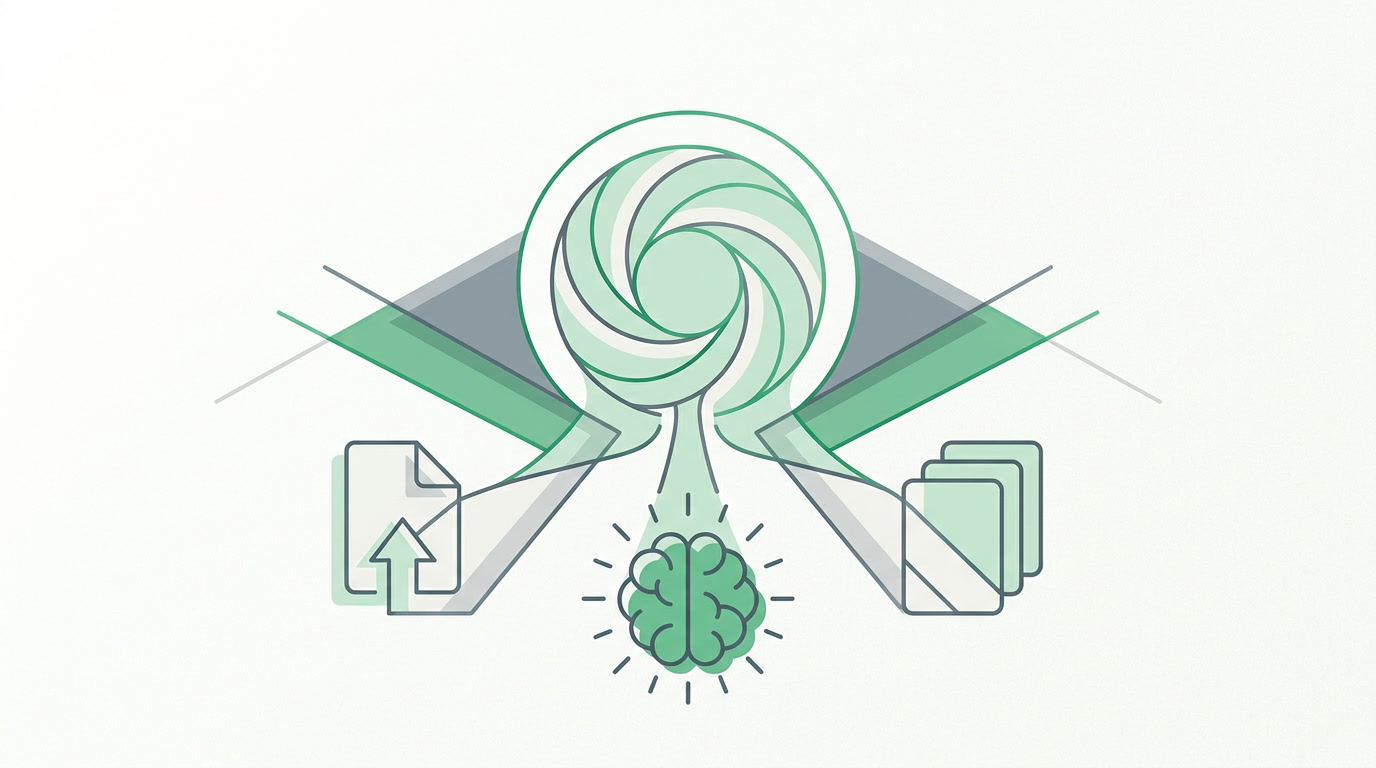
Upload the courses you already own, build one with AI in an afternoon, or start from a ready-made template — it is all in your hands.

Deliver the training
Assign courses and set due dates. Learners take them at their own pace or in live sessions — on a laptop or a phone, wherever they are.

Track the progress
See who has finished and who is overdue, watch completion and pass rates, and know your mandatory training is covered — on one dashboard.
01
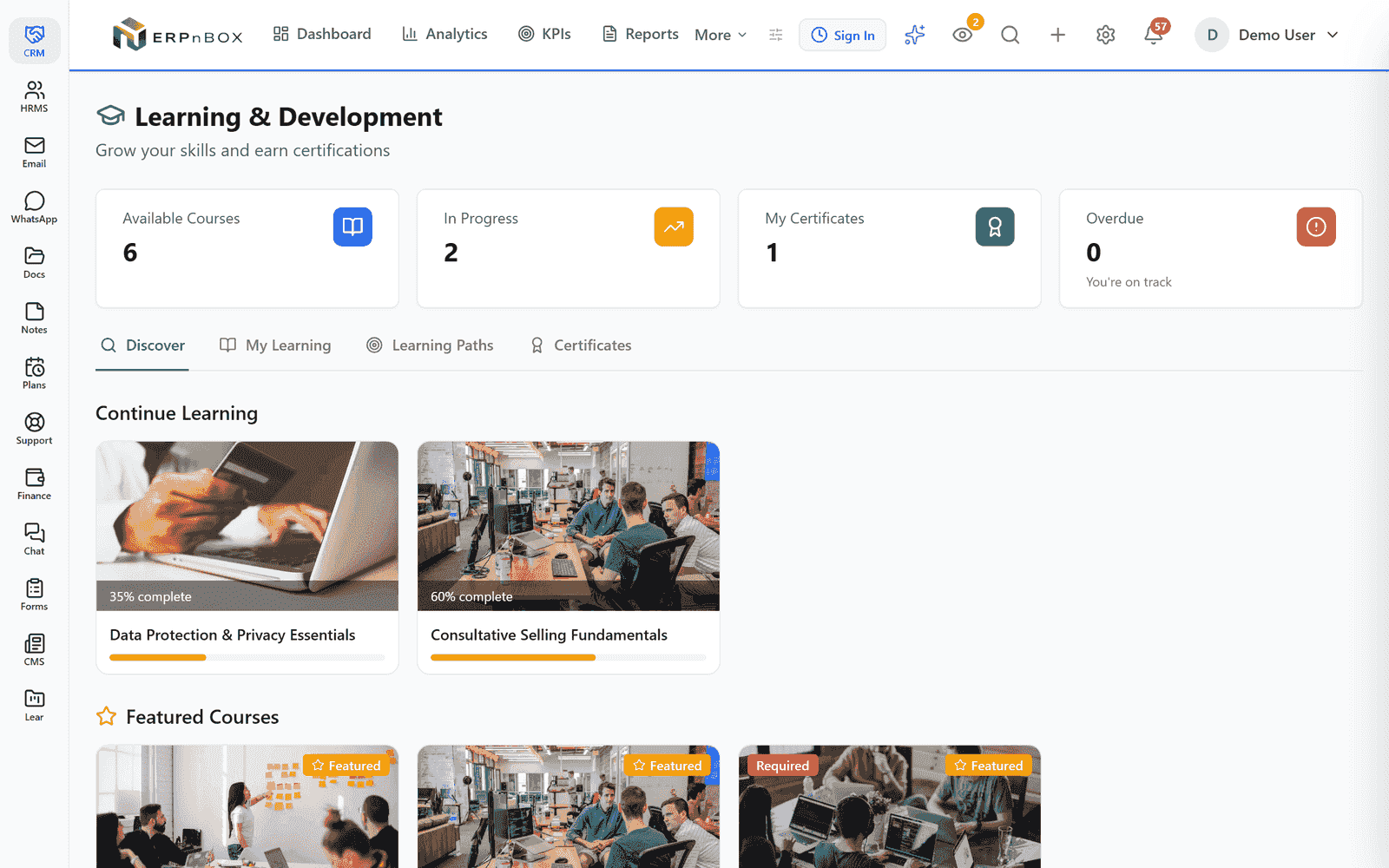
A learning hub employees actually open
Every employee gets a personal catalog: featured courses, required training with deadlines, progress on what they started, and the certificates they have earned. Learning paths chain courses into programs — a "First 90 Days" path for every new joiner, a certification track for sales.
02
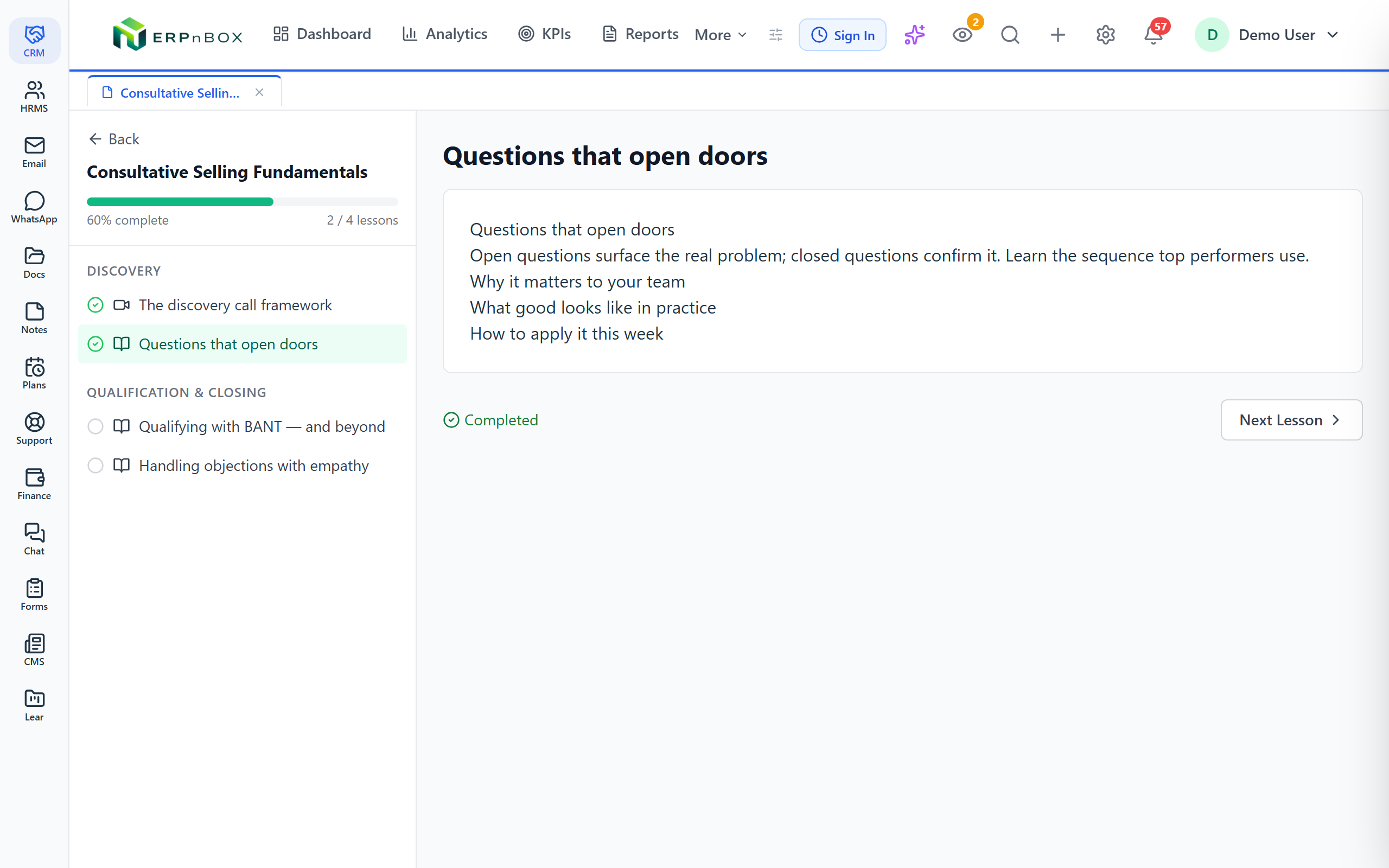
A course player built for finishing
Videos resume where the learner left off. Lessons tick off as they complete. Quizzes grade themselves against a passing score you set, with limited attempts if you want them. Progress lands in the enrollment record, so a half-finished course is visible — not forgotten.
03
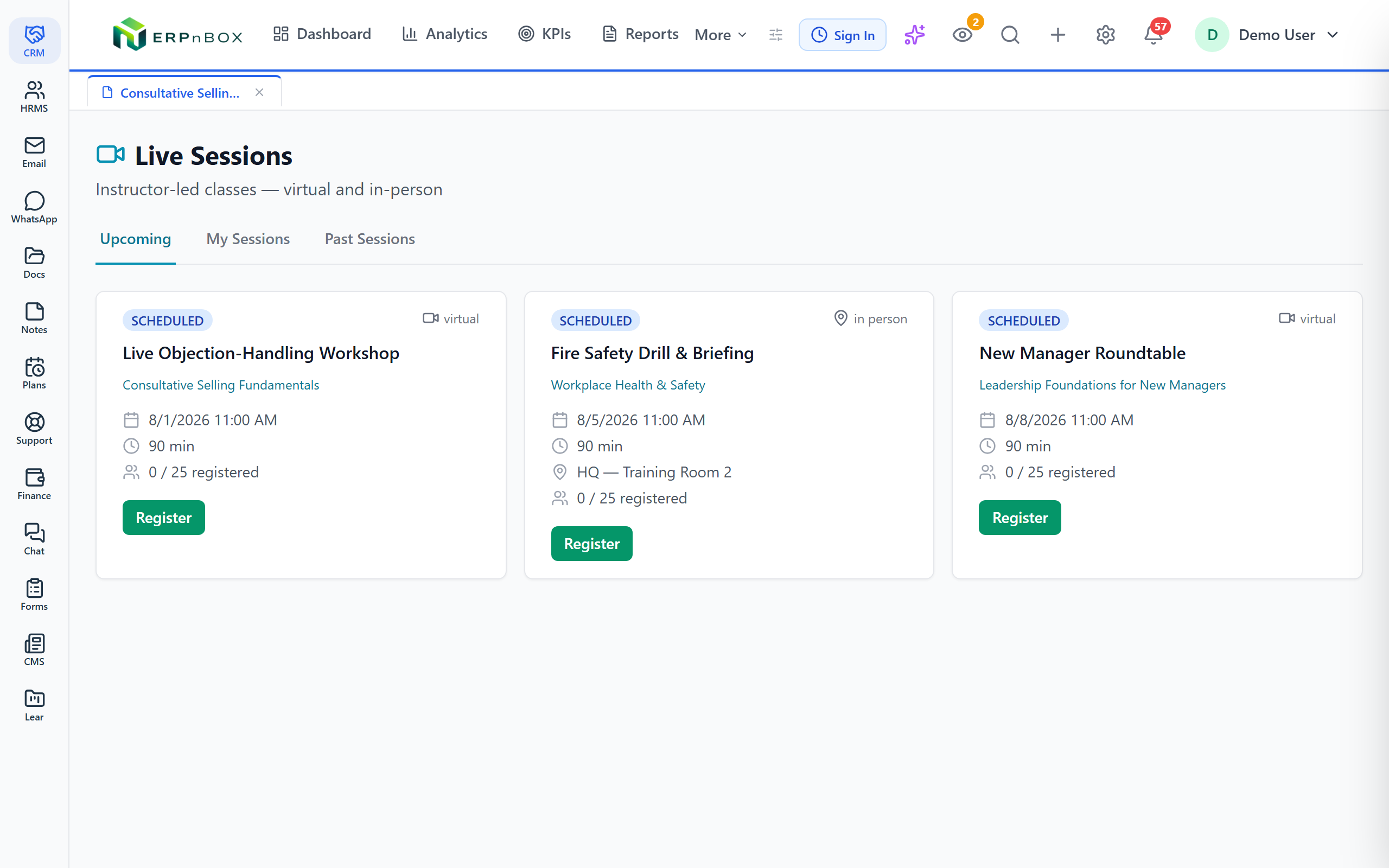
Live training, not just recorded courses
Schedule instructor-led sessions — a video call or a training room — with capacity limits, registration, and check-in. Employees see upcoming sessions next to their courses and register in one click. Attendance is recorded per person, so the fire-safety briefing has a register, not a guess.
04
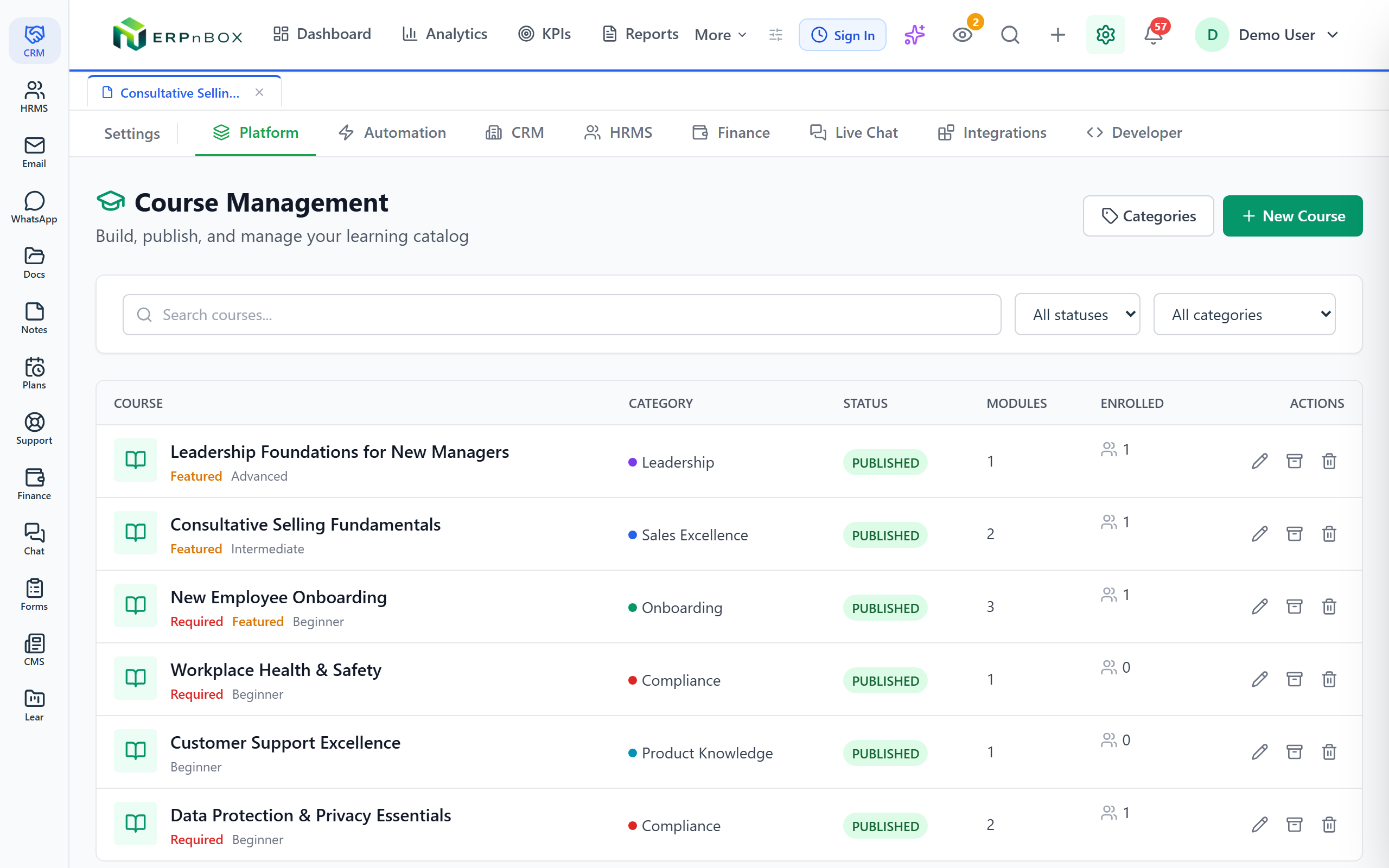
Build and manage the catalog without a specialist
The course manager is a list, not a project. Draft, publish, archive. Categories, difficulty levels, estimated hours, mandatory flags. Drop in a SCORM package from any authoring tool and it plays with scores and completion reported back. AI authoring drafts a course outline from a one-line prompt.
05
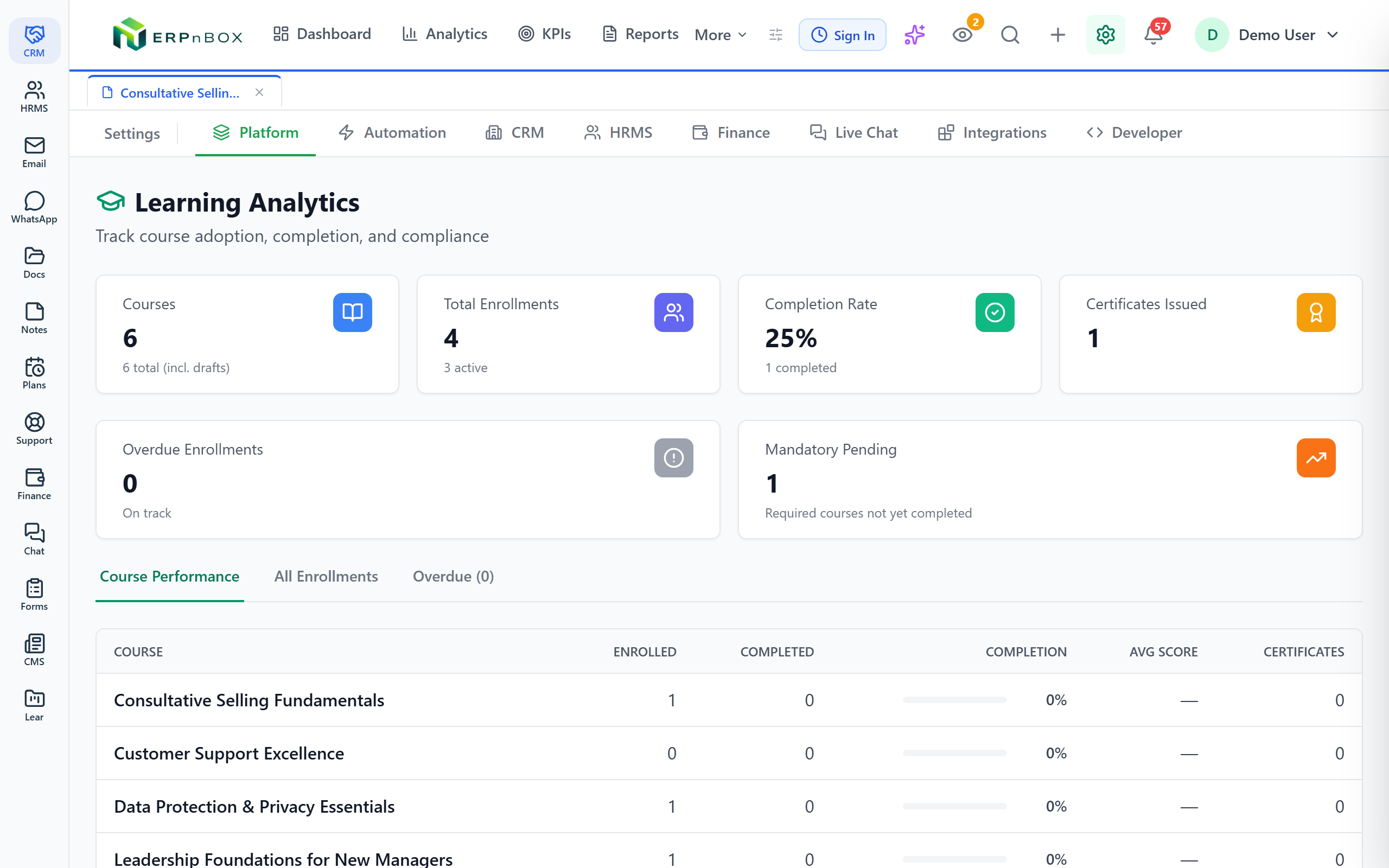
Analytics that answer the audit question
Completion rate, certificates issued, mandatory training still pending, and overdue enrollments — then course by course: enrolled, completed, average score. When the auditor, the client, or the board asks for proof of training, you export it instead of assembling it.
How it compares
ERPnBox Learning vs the leading LMS platforms
Standalone LMS tools charge again for a system your team logs into less. With ERPnBox, Learning is one of 12 apps in a single per-seat price — the LMS lives beside HR, payroll, and CRM, so people actually use it.
| Provider | Best for | Entry-level cost | Higher-tier / enterprise |
|---|---|---|---|
| ERPnBox Learning | Teams that want an LMS inside their HR & CRM | Included — part of the all-apps per-seat price | Same price; BYOK AI, SSO & multi-company on Enterprise |
| TalentLMS | Small & mid-sized businesses | $119/month (up to 40 users) | $449/month (up to 1,000 users) |
| 360Learning | Collaborative team training | $8/user/month (up to 100 users) | Custom quote (enterprise) |
| iSpring Learn | Built-in course authoring | ~$6.91/user/month (100-user tier) | ~$3.58/user/month (1,000-user tier) |
| LearnWorlds | Selling commercial courses | $24/month (Starter) | $249/month (Learning Center) |
| Docebo | AI-driven large enterprise | ~$25,000/year (est. minimum) | $80,000 – $250,000+/year |
| Canvas LMS | Higher ed & academic use | ~$5/student/month | Custom quote (by enrollment) |
| Moodle | Open-source self-hosting | $0 (software is free) | $200+/year (MoodleCloud hosting) |
Third-party prices are list figures as of mid-2026 and are shown for comparison only; check each vendor for current pricing. Self-hosted Moodle is free to license but has hosting, setup, and maintenance costs.
Full feature list
Everything that's inside
Course building
Courses, modules & lessons | Video, PDF, rich text, external links, and embedded quizzes, organized into modules with optional sequential locking. |
Quizzes & assessments | Single-choice, multi-choice, true/false, and short-answer questions with passing scores, attempt limits, and time limits. |
SCORM & xAPI | Upload SCORM 1.2 / 2004 packages from any authoring tool; scores, completion, and resume data track automatically. |
AI course authoring | Describe the course in a sentence; AI drafts the outline, modules, and lesson content for you to edit and publish. |
Learner experience
Learning hub | Personal catalog with featured and required courses, progress tracking, and earned certificates. |
Learning paths | Chain courses into ordered programs — onboarding tracks, role academies, certification ladders. |
Certificates | Auto-issued on completion with unique numbers, validity periods, and expiry tracking for renewals. |
Discussions & surveys | Per-lesson discussion threads and post-course feedback surveys that score instructor and content. |
Live & structured training
Live sessions (ILT/VILT) | Virtual or classroom sessions with capacity, registration, waitlists, reminders, and per-person attendance. |
Cohorts & branches | Run a program for a named group, and scope catalogs per branch or business unit with local admins. |
Auto-enrollment rules | Enroll by department, role, or joining date — new hires get the onboarding path without anyone remembering to add them. |
Compliance & L&D operations
Mandatory training | Required flags, due dates, overdue tracking, and a standing answer to "who has not finished yet?" |
Learning analytics | Completion rates, average scores, certificates issued, and per-course performance in one dashboard. |
Training intake & projects | Teams request training through a form; L&D triages requests into projects with tasks, time, and capacity planning. |
Development plans | Personal development plans per employee with AI-drafted roadmaps, files, and progress reviews. |
Frequently asked questions
Can we use the SCORM courses we already own?
Yes. Upload SCORM 1.2 or 2004 packages exported from any authoring tool (Articulate, Captivate, iSpring, and others). Scores, completion status, and resume position are tracked automatically.
How do we make a course mandatory?
Mark the course as required and set a due date on enrollment. It appears with a "Required" badge in every learner's hub, and the analytics dashboard tracks who is pending and who is overdue.
Does it cover live, instructor-led training too?
Yes. Schedule virtual or in-person sessions with capacity limits, one-click registration, reminders, and per-person attendance records — linked to the related course.
Is the LMS an extra product with separate pricing?
No. Learning is one of the ERPnBox apps — same login, same workspace, one subscription. Enable it from the App Marketplace and it appears for your whole team.
Run your team on ERPnBox
Describe your team and AI sets up your HR system. Start free, no credit card.