Payroll that reconciles itself, in EGP
Salary components, tax brackets, social insurance, loans, and attendance penalties roll into a monthly pay run per employee. Egypt-ready defaults, IBAN bank details, and a full audit trail on every revision.
- Monthly pay runs computed per employee
- Configurable income-tax brackets and social-insurance rates
- Loans, bonuses, and attendance penalties applied automatically
- IBAN bank details and EGP defaults
Per employee
Gross, net, and deductions computed for each person
Draft → done
Pay-run lifecycle with review and approval
EGP
Default currency and 30-day month
Audit trail
Every salary revision approved and logged
Salary components you assemble, not a fixed formula
Build earnings and deductions as reusable components, calculated as a flat amount, a percentage of base or gross, a percentage of the insurance salary, or by working days. Group them into compensation templates and apply a whole structure to a person, department, or location in one step.
Tax and social insurance you control
Set progressive income-tax brackets with an exemption threshold, and define employee and company social-insurance rates against a base, gross, or custom insurance salary. Because you set the numbers, you keep payroll aligned with your obligations as they change.
01
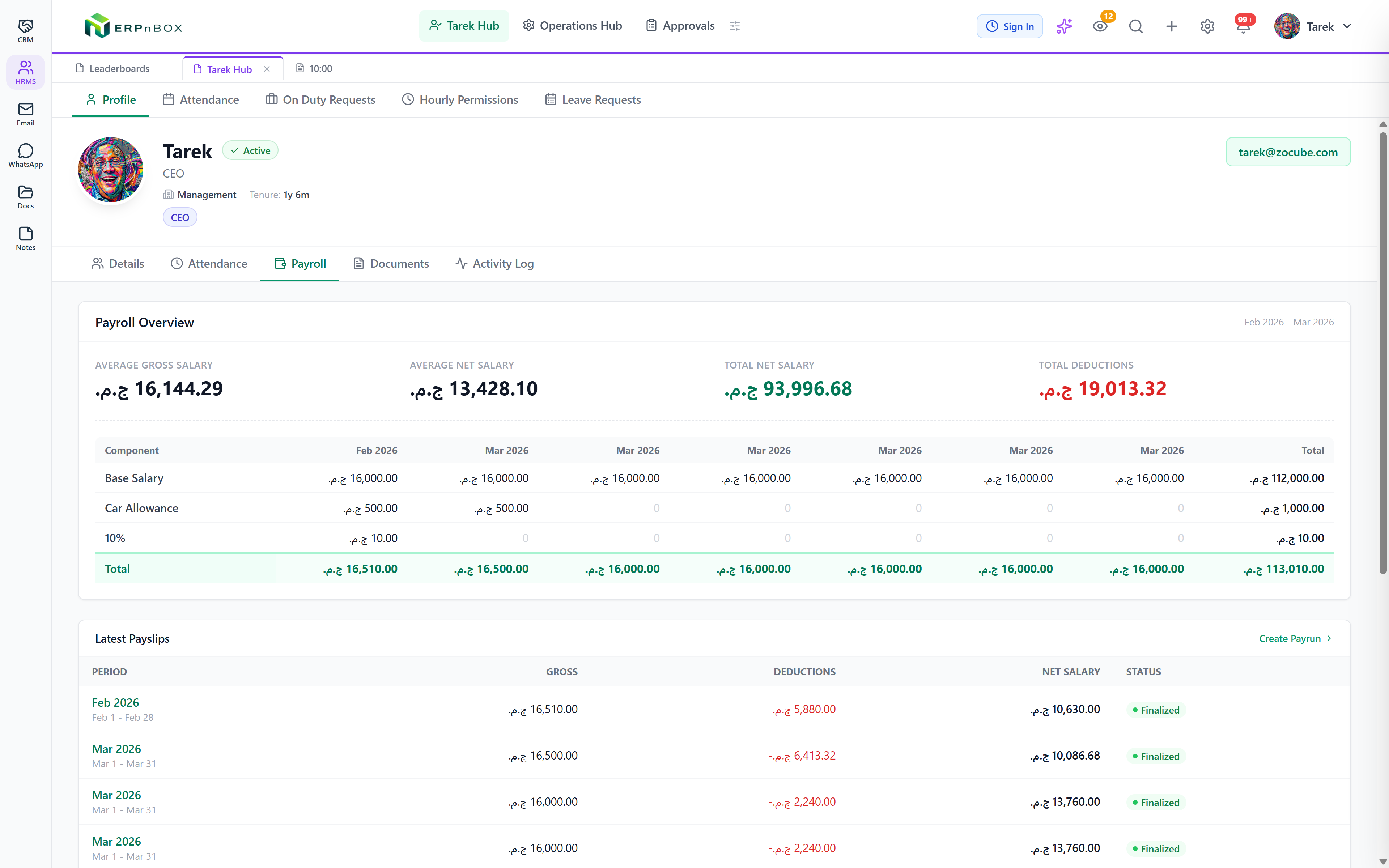
One monthly pay run, every number in place
A pay run moves from draft to processed to approved to complete. For each employee it prorates base salary by days worked, adds earnings and overtime, subtracts attendance penalties, loan installments, tax, and social insurance, and shows average gross, average net, and total deductions across the team.
Full feature list
Everything that's inside
Pay & components
Salary components | Flat, percentage-of-base, percentage-of-gross, percentage-of-insurance, or working-days earnings and deductions, with monthly, quarterly, or annual frequency. |
Compensation templates | Reusable salary structures applied to a person, department, or location, with effective dates and per-person overrides. |
Salary revisions | Raises and structure changes routed through an approval workflow and kept in a full history. |
Deductions & statutory
Income tax brackets | Progressive brackets with an exemption threshold, computed on net, gross, or taxable income, with a company-paid option. |
Social insurance | Employee and company rates against a base, gross, or custom insurance salary, prorated and with an exempt flag per person. |
Loans & advances | Installment schedules deducted automatically during each pay run. |
Bonuses & misconduct | One-off additions and deductions as a flat amount, a percentage of base, or a number of days. |
Attendance penalties | Late, absence, and missing-punch penalties computed by the attendance engine and pulled into the pay run. |
Setup & payment
Bank details with IBAN | Bank name, account, branch, IBAN, and payment method stored per employee for transfers. |
Payroll settings | Days in month, default working hours, insurance basis, and default currency (EGP), set once per company. |
Frequently asked questions
What currency does payroll use?
Payroll defaults to the Egyptian pound (EGP) with a 30-day month, and you set one currency per company. Bank details include IBAN for transfers.
Can I match Egyptian tax and insurance?
You define the income-tax brackets, exemption threshold, and employee and company insurance rates yourself, so payroll follows the numbers you set and stays correct as they change.
How do payslips work?
Each pay run produces a payslip record per employee showing every earning and deduction, viewable by the employee in self-service.
Run your team on ERPnBox
Describe your team and AI sets up your HR system. Start free, no credit card.