The short answer
Following a record means you get notified whenever it changes — a new activity, an edited field, a stage move — even if the record isn't assigned to you. It's built for managers and collaborators who need to stay informed on specific deals and accounts without interrupting the owner to ask.
Every team has a handful of records that matter more than the rest — the enterprise deal in final negotiation, the flagship account renewing next quarter, the opportunity a manager promised the board. The person who owns those records watches them closely. Everyone else finds out what's happening by asking. Following turns that asking into a notification that arrives on its own.
What does it mean to follow a record?
Following a record makes you a watcher: you get notified whenever that record changes — a new activity, an edited field, a stage move — even if the record isn't assigned to you. Ownership decides who works a deal; following decides who stays informed about it. The two are separate on purpose, so a manager or a collaborator can keep an eye on a deal without taking it over.
That's the whole idea in one line: owning is doing the work, following is knowing about it. A record can have one owner and several followers, and each follower gets the updates delivered to their own notifications — no shared inbox, no forwarding, no "loop me in" reply-all.
Why is following better than constant check-ins?
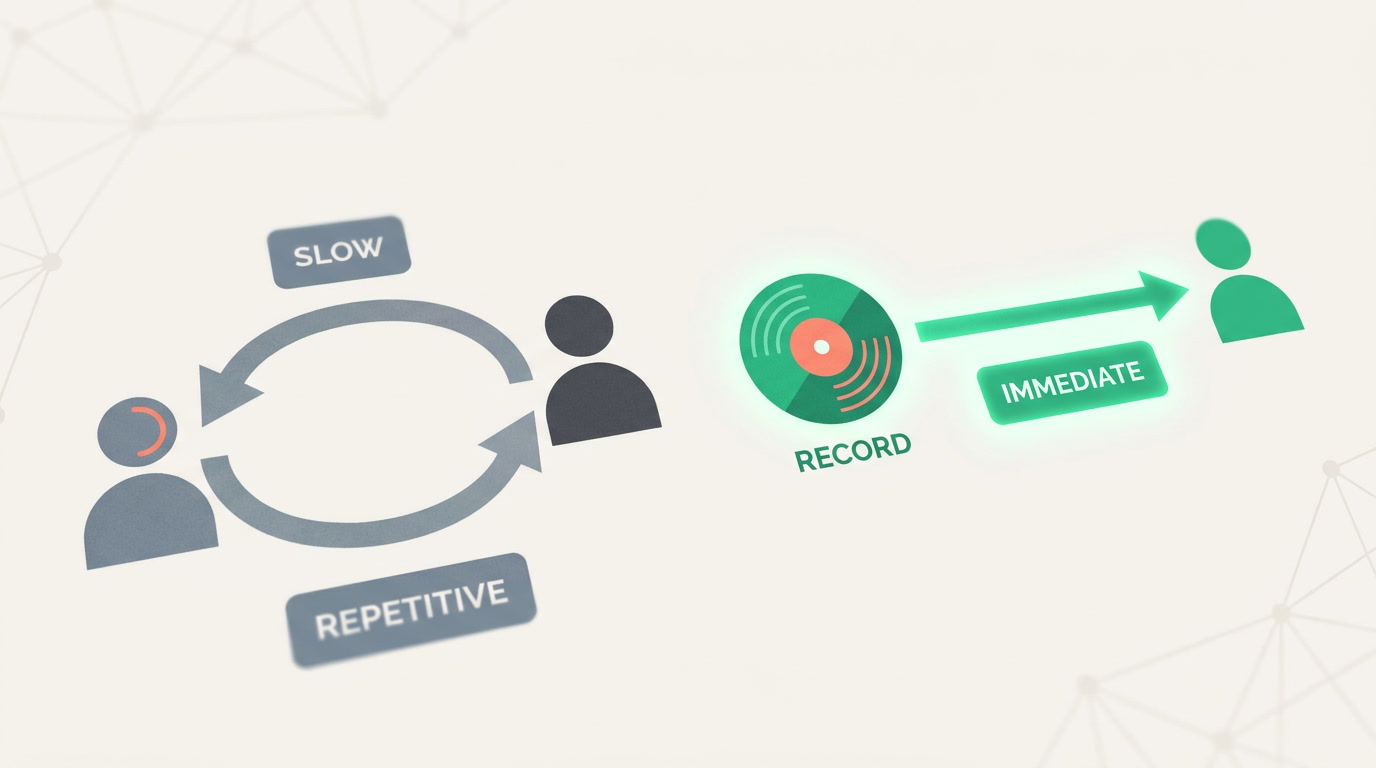
A check-in is a pull: someone has to remember to ask, interrupt the owner, and wait for an answer that's often already stale. Following is a push: the update reaches you the instant it happens, from the record itself. You replace a recurring interruption with a signal that only fires when something actually changed.
A manager following ten priority deals doesn't need a Monday status meeting to learn one of them slipped a stage on Thursday — the record told them on Thursday.
| Constant check-ins | Following the record | |
|---|---|---|
| Trigger | You remember to ask | The record changes |
| Timing | Delayed, batched | Immediate |
| Cost to owner | An interruption each time | None |
| Coverage | Whatever you thought to ask about | Every tracked change |
| Scales to 20 deals? | No | Yes |
How do you follow a record?
Open the detail view of any deal, account, contact, or record and choose to follow it. From that moment you're a watcher, and its changes flow into your notifications. Following is per-record and per-person: you follow the specific records you care about, and unfollow the moment they stop being your concern.
- Follow what's not yours. A collaborator on a cross-team deal follows it to see progress without owning a task on it.
- Managers watch the pipeline's crown jewels. Follow the deals that decide the quarter, and read the movement instead of chairing a meeting about it.
- Hand-offs stay warm. The person who sourced a lead can follow it after passing it on, and know how the story ends.
- Unfollow freely. When a deal closes or stops mattering to you, stop following it — the signal is yours to control.
What changes will a follower actually see?
A follower is notified about the meaningful events on the record — new activities, edits to fields, and stage moves — the same story a person owning the record would care about. Following pairs naturally with the record timeline and field history, which log who changed what and when, so the notification points you to a record whose own history explains the rest.
You control the noise. Following is opt-in per record, so your notifications stay a curated list of the few deals you chose — not a firehose of the whole pipeline. Watch five, watch fifty; the point is that you decide which records earn your attention, and the platform does the watching for you.
The best status update is the one nobody had to ask for.
Stop chasing updates. Start following them.
Follow the deals and accounts that matter and let the record keep you in the loop.
Explore the CRMFrequently asked questions
Do I have to own a record to follow it?
No. Following and ownership are separate on purpose. You can **follow a deal that belongs to a teammate** and receive its updates without taking it over — which is exactly why managers and collaborators use it to [stay informed](/features/crm-notifications) without disrupting the owner.
Where do the update notifications appear?
In your in-app [notifications](/features/crm-notifications) — the same place assignment and mention alerts land. Following adds record-change events to that stream, so everything you need to react to sits in ==one list== rather than scattered across meetings and messages.
Can several people follow the same record?
Yes. A single record can have one owner and **several followers**, and each follower gets the updates in their own notifications independently. A high-stakes account can have the rep, the manager, and a collaborator all watching it at once.
How is following different from the record timeline?
The [timeline](/features/crm-detail-view-columns) is the record's own history — you open the record to read it. Following **pushes** you a notification when something changes, so you don't have to open the record to discover it moved. They complement each other: the alert brings you in, the timeline explains what happened.
Can I stop following a record?
Yes, any time. Unfollow from the record and its changes stop reaching your notifications. Following is **opt-in and reversible per record**, which is how you keep your alerts to the handful of deals that genuinely matter right now.


