
The short answer
Inline editing lets you change a field directly in the list or on the record page without opening a full edit form. Click the value, type or pick a new one, save. It removes the click-heavy round trip that makes teams skip small updates, so your CRM stays current with almost no effort.
Somewhere in your CRM there is a lead whose stage is wrong, a phone number missing a digit, and an owner who left the company two months ago. Nobody is hiding this. The person who noticed it just didn't want to open the record, click Edit, wait for the form, scroll to the field, change it, and save — for one small fix. So they left it. Inline editing removes that entire round trip. Click the value, type the new one, done.
What is inline editing in a CRM?
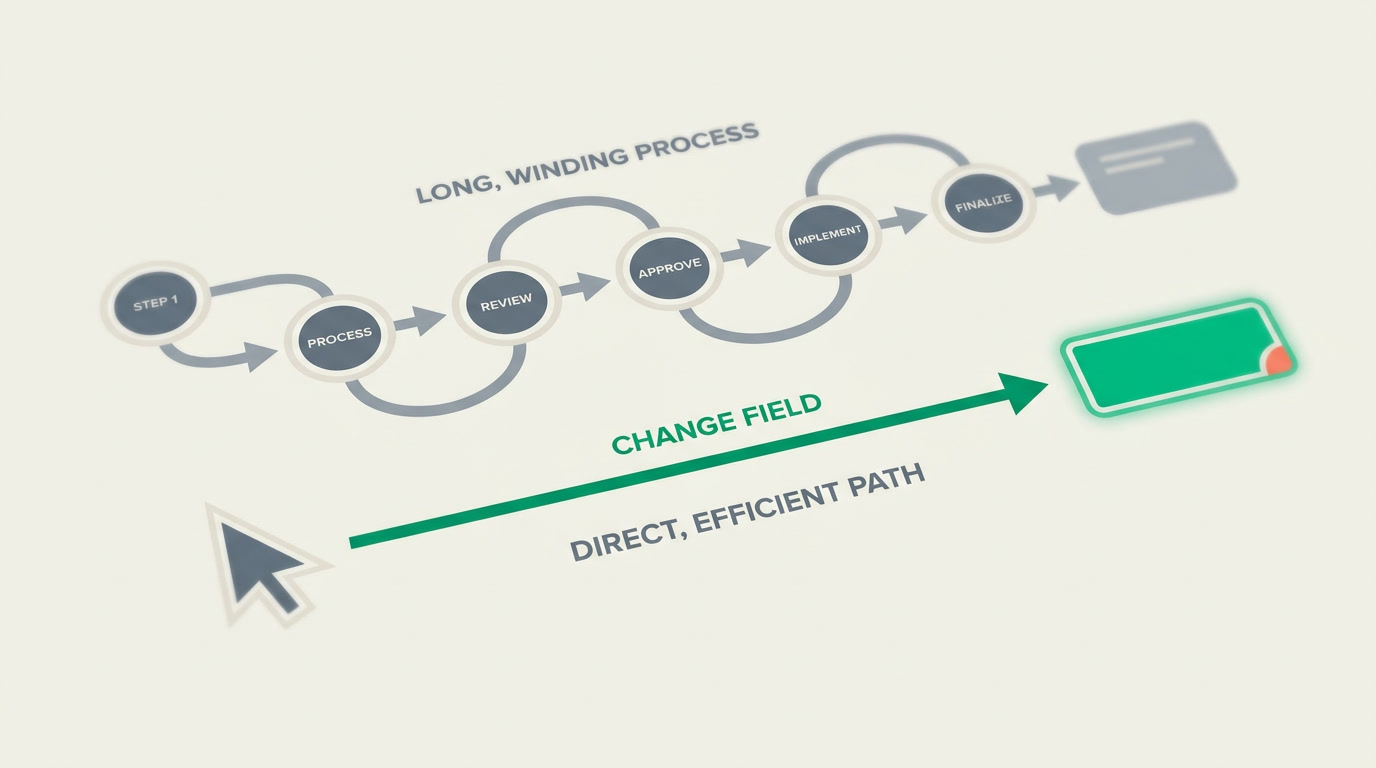
Inline editing means you change a field right where you see it — inside a list cell or on the record page — without opening a separate edit form. You click the value, an editor appears in place, you type or pick a new value, and you save it on the spot. Everything around it stays exactly where it was.
The alternative — the one most teams tolerate — is the full edit trip: open record, switch to edit mode, find the field among dozens, change it, save, go back. That's fine for a real editing session. It is absurd for correcting one stage or one status. Inline editing exists so a one-field change costs one action, not six.
In ERPnBox you get inline editing in two places: in the list view — where you can fix a value across rows without leaving the table — and on the record's detail view, where each field is editable in place. Both save the same way: the value updates, the rest of the screen doesn't move.
Why does inline editing matter for daily upkeep?
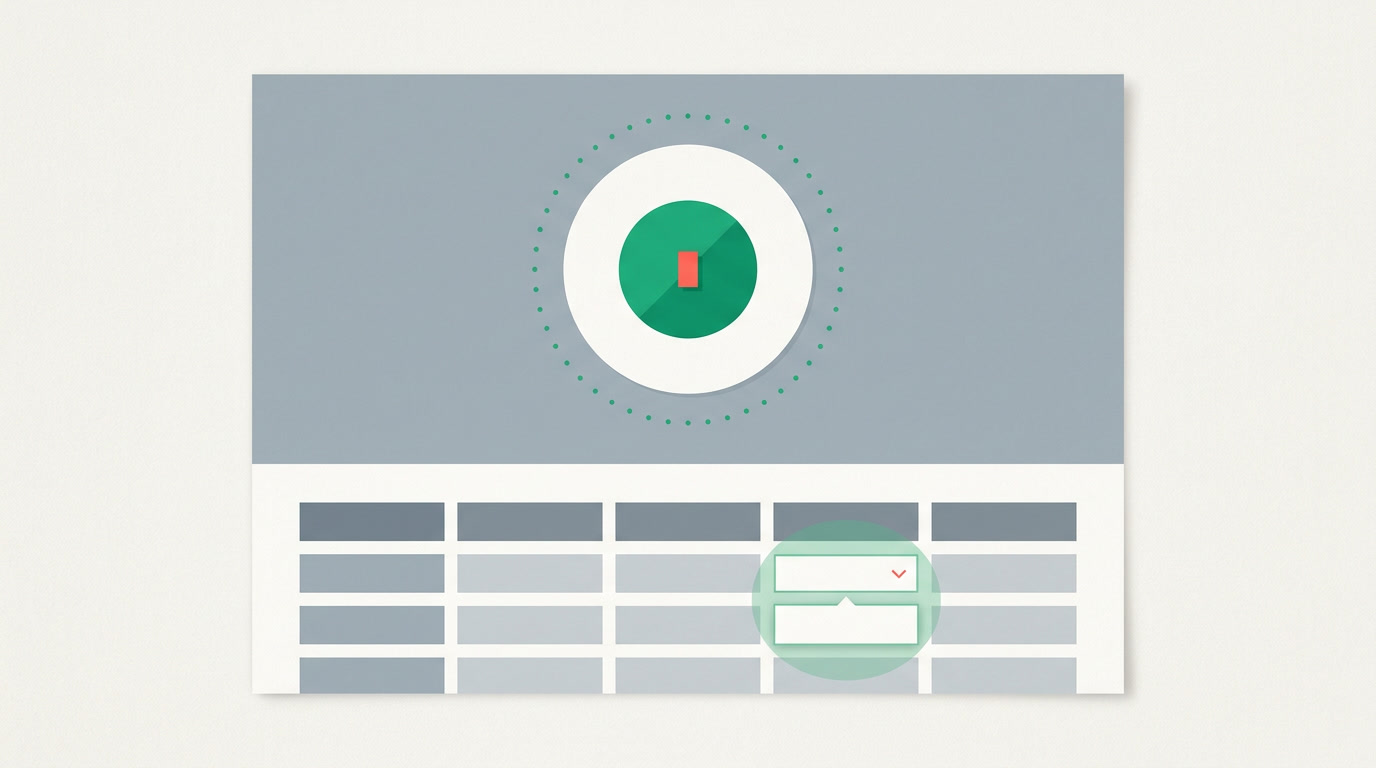
Because the true cost of a CRM isn't setup — it's the thousand tiny updates nobody makes. Every extra click between noticing a mistake and fixing it is a reason to not fix it. Inline editing shrinks that gap to almost nothing, so corrections happen the moment they're spotted instead of never.
A sales lead scanning the pipeline sees a deal stuck in the wrong stage and moves it in one click. An ops coordinator working down a filtered list corrects five phone numbers in the time it used to take to open one record. Fresh data isn't a discipline problem; it's a friction problem — and inline editing is how you cut the friction.
| Task | Full edit form | Inline editing |
|---|---|---|
| Fix one deal stage | Open, edit mode, find field, save, back | Click the value, pick new stage |
| Correct 5 phone numbers | Five full record trips | Five cells, no page leaves |
| Reassign an owner | Open record, edit, save | Click owner, choose person |
| Where you stay | Bounced to a form and back | Right on the list, in context |
Which teams get the most from it?
Anyone who maintains data at volume rather than crafting it one record at a time. Sales, operations, support, and anyone who owns list hygiene feel the difference first, because their day is made of many small touches, not a few deep edits.
- Sales reps nudge deals between stages and update next-step fields while reading the pipeline, not after.
- Operations & data owners clean owner, status, and contact fields down a filtered list without a single detour.
- Support & success teams flip a status or priority the instant a call ends, while the row is still in front of them.
- Team leads correct what they spot during a review pass instead of writing themselves a note to fix it later.
How do you use inline editing in ERPnBox?
You don't set anything up — it's part of how records already work. On a module's list, or on a record's detail page, click the field you want to change, edit the value in place, and it saves. Text you type, picklists and owners you choose from a menu. Whether a field can be edited follows your normal permissions.
- Open any module in the list view or open a single record's detail page.
- Click the value you want to change. An editor appears right in that cell or field.
- Type the new text, or pick from the menu for a picklist or owner field.
- Confirm to save. The value updates in place and the rest of the screen stays put.
- Move to the next cell and repeat — no page reload, no lost scroll position.
Honest note on what inline editing is for
Inline editing is built for quick single-field fixes — a stage, a status, an owner, a number. For creating a record from scratch or changing many fields at once, the full add or edit experience is still the right tool. Inline editing isn't trying to replace it; it's there so the small stuff never piles up.
How does it keep your CRM data honest?
Clean data compounds. When a small edit costs one action, people actually make it, and the CRM stops drifting away from reality. Pair inline editing with the tools that surface what needs fixing and the upkeep becomes almost automatic — you correct as you go.
- Use global search and saved filtered views to pull up exactly the rows that look off, then fix them inline in one pass.
- Let the duplicate manager flag near-copies, then correct the survivor's fields in place.
- Read the pipeline in Kanban view, and when a card is clearly in the wrong stage, move it without opening the deal.
See how little a data fix should cost
Try ERPnBox and edit a field the way you always wished you could — click, type, done.
Start freeFrequently asked questions
Can I edit records without opening the full edit form?
Yes. That's exactly what inline editing is for. In the **list view** you click a cell, and on a record's detail page you click a field — an editor opens in place, you change the value, and it saves. The full add or edit experience is still there for creating records or changing many fields at once.
Which fields can I edit inline?
You edit fields in place the way each type works — **type into text and number fields, pick from a menu for picklists and owner fields.** Whether a given field is editable follows your normal permissions, so people only change what they're allowed to change.
Does inline editing work on the mobile app?
ERPnBox ships as both a web app and a native mobile app. Inline editing is described here for the web list and detail views; on mobile you edit records through the app's own record screens. Use inline editing on the web for fast list-wide upkeep.
Is inline editing something I have to turn on?
No. It's part of how records already work in ERPnBox — there's nothing to configure. Open a list or a record, click a value, and edit it. What each person can change is governed by their existing permissions, not by a separate inline-edit setting.
Should I use inline editing or the full form?
Use inline editing for **quick single-field fixes** — a stage, status, owner, or number you spot while working a list. Use the full add or edit experience when you're creating a record or changing several fields together. They're complements: one for speed, one for depth.


