The short answer
The record timeline is a chronological feed on every record showing what happened in order — created, edited, calls and meetings logged, and stage changes. Anyone who opens the record can read its whole history top to bottom in seconds, no meeting required. Field history adds who changed which value and when, so the record explains itself.
A rep is out sick. A deal they own goes quiet, then the client calls in. Whoever picks up the phone has one job: catch up fast enough to sound like they were there all along. The record timeline is how they do it — one chronological feed of everything that ever happened on this record, read top to bottom, no forwarding of old emails and no "let me loop in my colleague."
What is a record timeline in a CRM?
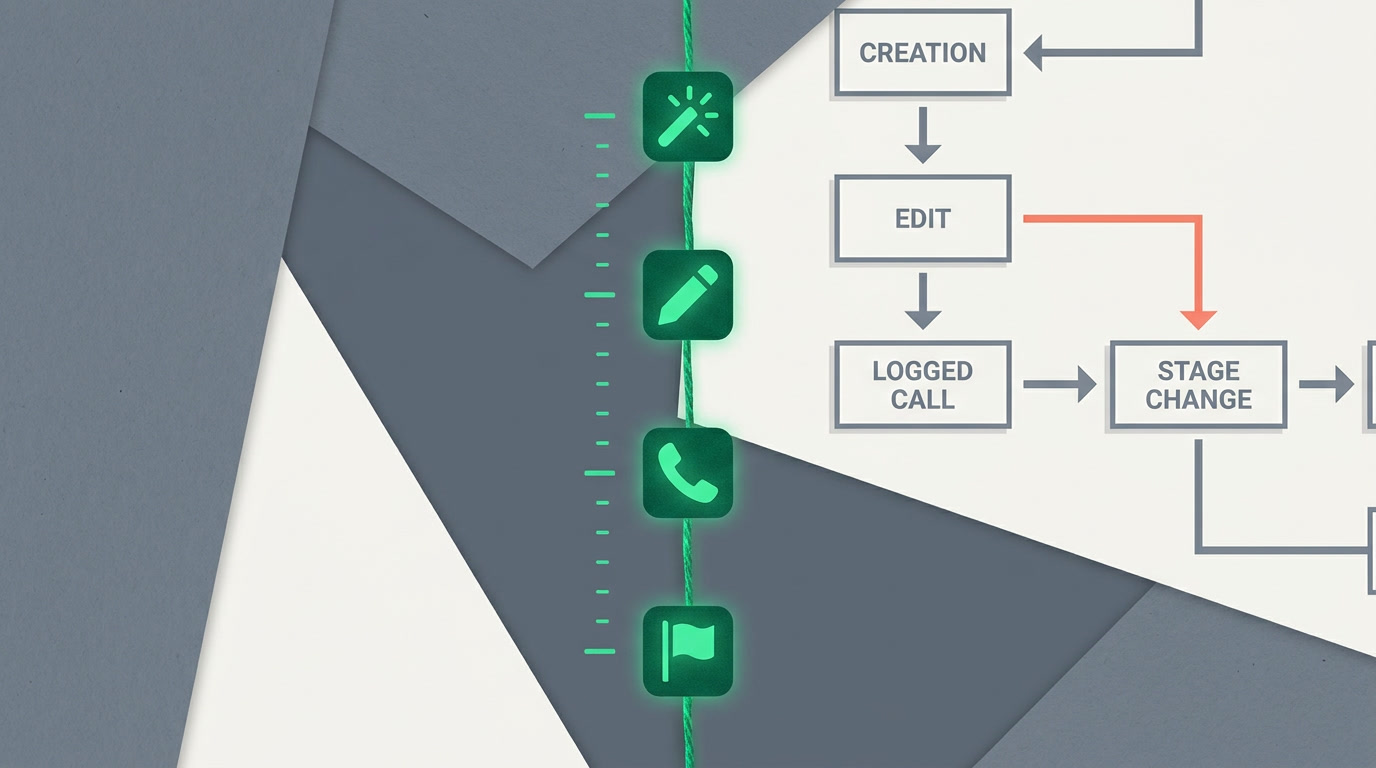
A record timeline is a chronological feed sitting on a single record that lists everything that happened to it — when it was created, every edit since, each call or meeting logged, and every stage change — newest first. Instead of piecing a story together from scattered notes, you read the record's whole life in one column.
The timeline lives on the detail view of every record — leads, deals, contacts, tickets, whatever you build. You don't configure it into existence; it fills in as people work. Log a call, the call appears. Move a deal from Proposal to Won, that move is on the record. You configure your CRM, you don't code it — and the timeline is one of the things you simply get.
What events show up on the timeline?
The feed captures the moments that change a record's story: creation, edits, logged activities, and stage changes. Each entry is stamped with who did it and when, so the timeline reads like a narrated history rather than a pile of raw data. Here's the shape of it.
| Timeline entry | What it tells you |
|---|---|
| Created | Who first added the record, and when it entered your pipeline |
| Field edited | A value changed — with field history, exactly which field, from what to what |
| Call / meeting logged | An interaction happened; the note and outcome sit right there |
| Stage change | The record moved forward (or back) — the pulse of your process |
| Task completed | A committed next step got done, closing the loop |
Alongside the timeline, a record summary tab gives you the same story compressed — the essentials at a glance when you don't need every line. The full feed is for reconstruction; the summary is for the thirty-second brief before a call.
How does a timeline build trust across a team?
Trust on a team comes from continuity — the sense that nothing falls through the cracks when a person is out, a rep changes, or a deal gets handed off. A timeline makes continuity structural instead of heroic. The record carries its own memory, so no single person is a single point of failure.
The handoff test: hand a deal to a colleague who has never seen it. If they can open the record, read the timeline, and pick up the conversation without a single question to you — your CRM is doing its job.
It also settles arguments quietly. "Who lowered the discount?" "When did we promise delivery?" Field history records who changed which value and when, so the answer is on the record, not in someone's memory. Fewer accusations, more facts. And because you can follow a record to be notified of its changes, the people who care stay in the loop without hovering over it all day.
Timeline vs. field history vs. related lists — what's the difference?
They overlap, so people confuse them. The short version: the timeline is the narrative, field history is the audit detail behind edits, and related lists are the working sections — notes, attachments, and linked records — you act on. You'll use all three on the same record without thinking about the seams.
- Timeline — the chronological story: what happened, in order, at a glance.
- Field history — the receipts: exactly which field moved, from what to what, by whom.
- Related lists — the workbench: notes, attachments, and related records you add to and open.
The engine underneath all of it is the same: activities live as first-class records, and tasks you commit to become timeline entries when they're done. Plan the next step as a task, work it, and the record narrates its own follow-through. Nothing needs to be re-typed into a status update.
When is the timeline most valuable?
Anytime a record outlives a single conversation — which is most of them. The timeline earns its keep at the seams of your process: handoffs, escalations, long sales cycles, and the awkward re-open of a deal that went cold three months ago. Those are exactly the moments memory fails and the record shouldn't.
A CRM without a timeline remembers the present. A CRM with one remembers the whole relationship — and that is the only memory that closes deals two quarters later.
It's also your quiet coaching tool. A manager reviewing a stalled deal doesn't need a meeting to understand it — the timeline shows whether the follow-up actually happened or just got promised. Accountability without an interrogation. The record already told the truth.
See your records tell their own story
Every lead, deal, and contact keeps a timeline from day one — no setup, no manual logging of the obvious. Start free and watch the history build itself.
Start freeFrequently asked questions
Do I have to turn the timeline on for each record?
No. The timeline exists on **every record** by default and fills in as people work — creating, editing, logging calls, and moving stages. You don't build it or switch it on. For edits, you choose which fields keep a detailed [field history](/features/crm-view-types-overview), but the chronological feed itself is always there.
Does the timeline show who made each change?
Yes. Every entry is stamped with the person and the time. Where you've enabled field history, an edit also shows **what the value was before and after** — an audit trail per field. That's what turns "someone changed the price" into "this person changed it, then, from this to that."
How is the timeline different from notes and attachments?
Notes and attachments are **related lists** you add to on [the detail view](/features/crm-detail-view-columns) — the working material. The timeline is the chronological narrative of events across the record, including when those notes and calls were logged. You use both together: the timeline tells you what happened; the related lists hold the substance.
Can I get notified when a record's timeline changes?
Yes. **Follow** any record to receive in-app notifications when it changes, so you stay current without checking manually. Notification rules can also alert you on specific events like an assignment or a due task. There's no SMS gateway — notifications are in-app.
Does the timeline work on the mobile app?
Yes. ERPnBox ships a **native mobile app**, and records carry the same timeline and detail view you see on the web, so you can catch up on a deal between meetings from your phone. The record's history travels with it wherever you open it.
Will the timeline slow me down with too much noise?
That's what the **record summary** tab is for. When you only need the essentials, the summary compresses the story to what matters; the full timeline is there when you need to reconstruct exactly what happened. You pick which fields keep detailed history, so the feed reflects the moments you care about.


