
The short answer
In ERPnBox, filter a module's list by field, operator and value, plus quick owner, date and picklist controls. When the list shows exactly what you need, save it with a name — like 'my open deals this month'. The saved view keeps the rules and refreshes the records, so you reopen it in one click every day without rebuilding anything.
Every morning you open your CRM and go looking for the same short list: the deals you own that are still open, closing this month. Scrolling the full table to find them is a small tax you pay every single day. A saved view removes it. You build the filter once, name it, and it's waiting for you tomorrow.
What are filters and saved views in a CRM?
A filter narrows a module's list to only the records that match rules you set — a field, an operator, and a value. A saved view is that filter given a name so you can return to it in one click. Together they turn a long, generic table into the exact working list each person needs. You configure them; you don't write code.
The filter panel gives you three moving parts. Pick the field (Stage, Owner, Close Date, City). Pick the operator (is, is not, contains, is empty, is between). Pick the value. Stack several rules and the list tightens to the intersection. Owner, date, and picklist filters get their own friendly controls, so "my records" or "created this quarter" is a tap, not a typed query.
How is a filtered list different from search?
Search answers "where is this one record?" A filter answers "show me every record that fits this pattern." You reach for global search when you know a name or number and want it now. You reach for a filter when you want a standing list — all open deals, all leads with no activity in 30 days — that you'll work through, not a single hit.
| You want to… | Use | Because |
|---|---|---|
| Find one client by name | Global search | You know the record; you want it instantly |
| Work a repeating daily list | Saved view | The rules stay the same; the records change |
| Answer a one-off question | Ad-hoc filter | You need it once and can drop it |
How do you build and save a view?
Open the module list, add filter rules until the list shows what you want, then save it with a name. That's the whole loop. The classic example is "My open deals this month": owner is me, stage is not Won or Lost, close date is between the first and last of the month. Save it, and it lives at the top of your list forever.
- Open the module (Deals, Leads, Contacts) and switch to the List view.
- Open the filter panel and add your first rule: field + operator + value.
- Add owner, date, and picklist rules to narrow further — set owner to "me" and date to this month.
- Check the list looks right, then Save view and give it a plain name you'll recognize.
- Reuse it tomorrow — same rules, refreshed records, one click.
Views travel across every layout
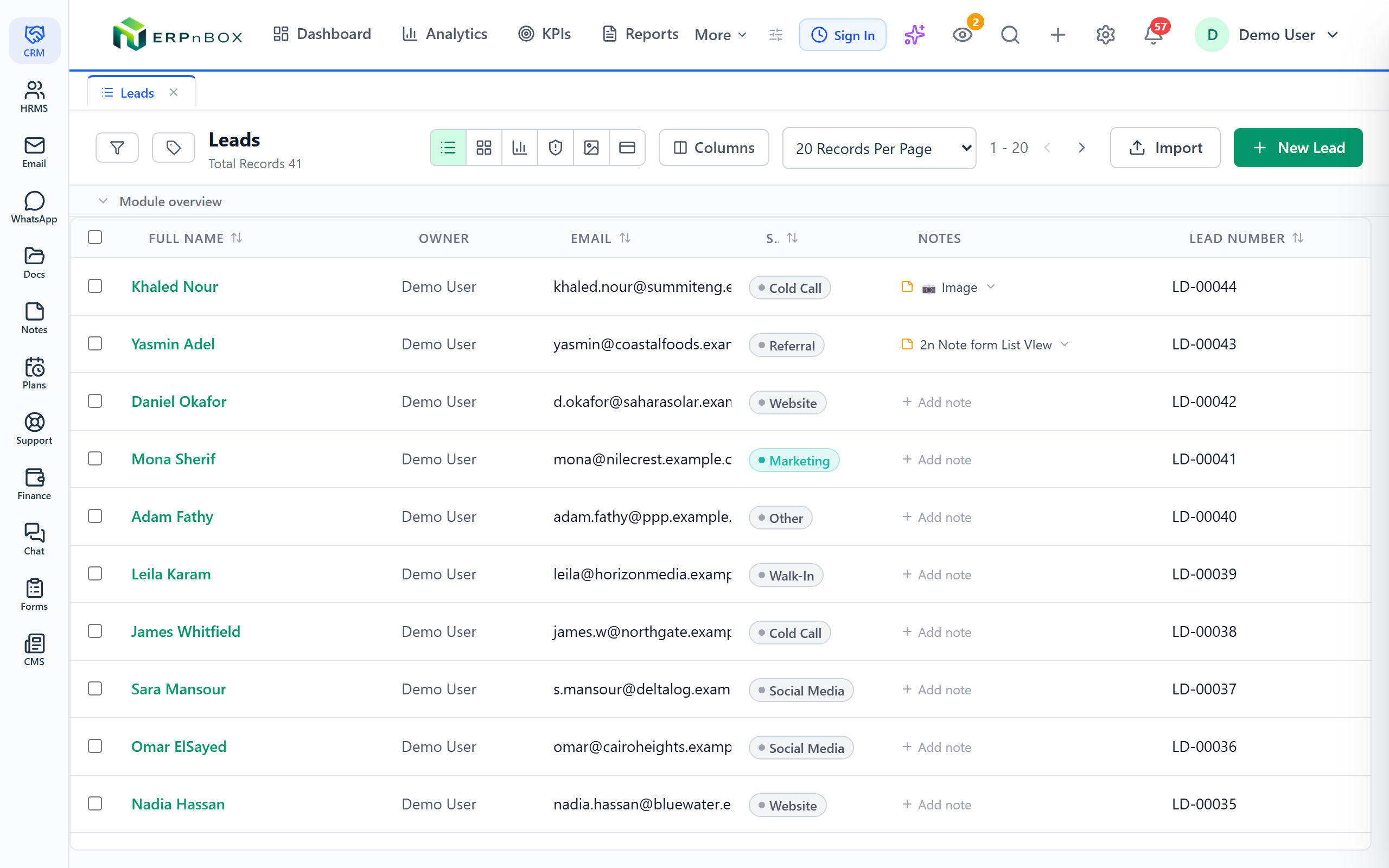
A saved filter isn't locked to the table. The same "my open deals this month" set can be viewed as a Kanban board, a chart, a calendar, or cards — the filter defines which records; the view mode defines how you look at them.
Why does a saved view matter for daily work?
Because the question you ask your CRM in the morning is almost always the same question you asked yesterday. A saved view freezes the question and refreshes the answer. The rep stops rebuilding filters; the manager stops asking "which deals are you working?"; the ops lead stops exporting a spreadsheet to slice by hand. One named list becomes the shared definition of what "active" means for the team.
A few views that earn their keep
- My open deals this month — the rep's daily to-work list.
- Leads with no activity in 14 days — the follow-up gap, before it goes cold.
- High-value opportunities closing this quarter — the manager's forecast list.
- New leads, unassigned — the ops queue nobody should let pile up.
The best CRM view is the one you never rebuild. You define it once, and it quietly answers the same question every day you log in.
Who on the team benefits, and how?
Everyone who lives in the records. A sales rep works a personal open-deals view. A sales manager watches a team pipeline view without pinging anyone. An operations lead keeps an unassigned-queue view to route work. Save the view once and each person opens their own — and because filters and search sit side by side, you jump from a broad list to a single record and back without losing your place.
When you open several records from a view, each one lands as its own workspace subtab in a tab strip, so your filtered list stays put behind them. Explore all the view types to decide which layout suits each saved view, or start straight from the CRM.
Build the list you open every morning
Set up your first saved view in minutes — no code, just a field, an operator, and a name.
Try ERPnBox freeFrequently asked questions
What is the difference between a filter and a saved view?
A **filter** is the set of rules — field, operator, value — that narrows a list right now. A **saved view** is that filter given a name so it survives past today. ==Save any filter you'd otherwise rebuild tomorrow, and it becomes a one-click list.==
Can I filter by owner and date at the same time?
Yes. Owner, date, and picklist filters each have their own controls in the panel, and you can stack them. "Owned by me AND created this month AND stage is Open" is three rules on one list — the classic **"my open deals this month"** view.
Do saved views work in Kanban or chart mode?
Yes. A saved filter defines which records appear; the view mode decides how you look at them. The same list works as a table, a [Kanban board](/features/crm-kanban-view), a [chart](/features/crm-chart-view), a calendar, or cards.
When should I search instead of filter?
Search when you know the specific record and want it instantly — a name, a number, an email. Filter when you want a **standing list** of every record that fits a pattern. Reach for [global search](/features/crm-global-search) for one hit, a saved view for a repeating list.
Do I need to write code to build a view?
No. You pick a field, choose an operator, and type or select a value from menus — **you configure, you don't code**. Building and saving a view is a few clicks in the filter panel, and anyone on the team can do it.


